On this page
- AI Agents vs Agentic AI: What Australian Businesses Need to Know in 2026
- What Exactly Is an AI Agent?
- How Is Agentic AI Different from a Regular AI Agent?
- What Are Some Real Examples of AI Agents in Australian Businesses?
- What Should a Beginner Know Before Implementing AI Agents?
- Which AI Agent Platforms and Courses Are Worth Your Time?
- How Do AI Agents Work with Copilot and Other Enterprise Tools?
- What Does AI Agent Implementation Actually Look Like in Practice?
- What Are the Risks and How Do Australian Businesses Mitigate Them?
- What Is the ROI for Australian Businesses Investing in AI Agents?
- What Should Australian Businesses Do Next?
- About the Author
- Frequently Asked Questions
AI Agents vs Agentic AI: What Australian Businesses Need to Know in 2026
Last Updated: May 30, 2026 | By AJ Awan, Founder of Flowtivity
If you run a business with 11 to 200 employees, you have probably heard the terms "AI agent" and "agentic AI" thrown around at conferences, in LinkedIn posts, and by every vendor pitching you their latest tool. The problem is that most explanations either oversimplify to the point of being useless or go so deep into technical jargon that nobody outside a research lab can follow along.
This guide cuts through that noise. I have spent nine years in management consulting, including six at EY advising enterprises like IAG, Westpac, and Genesis Care on technology strategy. Now I help Australian businesses implement AI agents in practical, measurable ways. What follows is the distinction that actually matters, with examples, implementation paths, and the frameworks I use with my own clients.
What Exactly Is an AI Agent?
An AI agent is a software system that perceives its environment, makes decisions, and takes actions to achieve a specific goal. Unlike a traditional chatbot that responds to a prompt and stops, an agent loops through a cycle: observe, think, act, evaluate. It keeps going until the task is done or it determines the task cannot be completed.
The key characteristics of an AI agent are:
- Autonomy: It operates without constant human instruction after the initial goal is set
- Perception: It reads data from APIs, databases, emails, sensors, or documents
- Action: It executes tasks like sending emails, updating CRM records, generating reports, or triggering workflows
- Feedback loops: It evaluates whether its actions moved closer to the goal and adjusts accordingly
Most AI agents today are powered by large language models as their reasoning engine, but they connect to external tools and data sources to actually get things done.
Answer Capsule: An AI agent is software that autonomously perceives its environment, reasons about what to do, and takes actions to achieve a goal. Unlike chatbots that answer one question at a time, agents loop through observe-think-act cycles until a task is complete. For Australian businesses, this means an agent can handle multi-step workflows like qualifying leads, booking appointments, and updating your CRM without human hand-holding at every step.
How Is Agentic AI Different from a Regular AI Agent?
This is where most guides lose people. The distinction matters because it changes what you buy, what you build, and what you budget for.
A single AI agent handles one defined task or workflow. It might manage your email inbox, process invoices, or handle customer support triage. It has a clear scope and boundaries.
Agentic AI refers to systems where multiple agents collaborate, often with different specializations, to solve complex problems. These systems can decompose a high-level goal into subtasks, assign those subtasks to specialized agents, and synthesize the results. Think of it as the difference between hiring one skilled employee and building an entire department.
Here is a practical comparison:
| Dimension | AI Agent | Agentic AI |
|---|---|---|
| Scope | Single task or workflow | Multi-domain, multi-step objectives |
| Architecture | One reasoning loop | Orchestrated team of specialized agents |
| Complexity | Moderate setup, clear boundaries | Complex orchestration, emergent behavior |
| Cost | $2,000 to $10,000 to implement | $15,000 to $80,000+ to implement |
| Best for | Automating repeatable processes | Strategic, cross-functional initiatives |
| Example | Email responder that qualifies leads | Full sales pipeline: research, outreach, follow-up, scheduling, reporting |
| Human oversight | Periodic review | Continuous governance recommended |
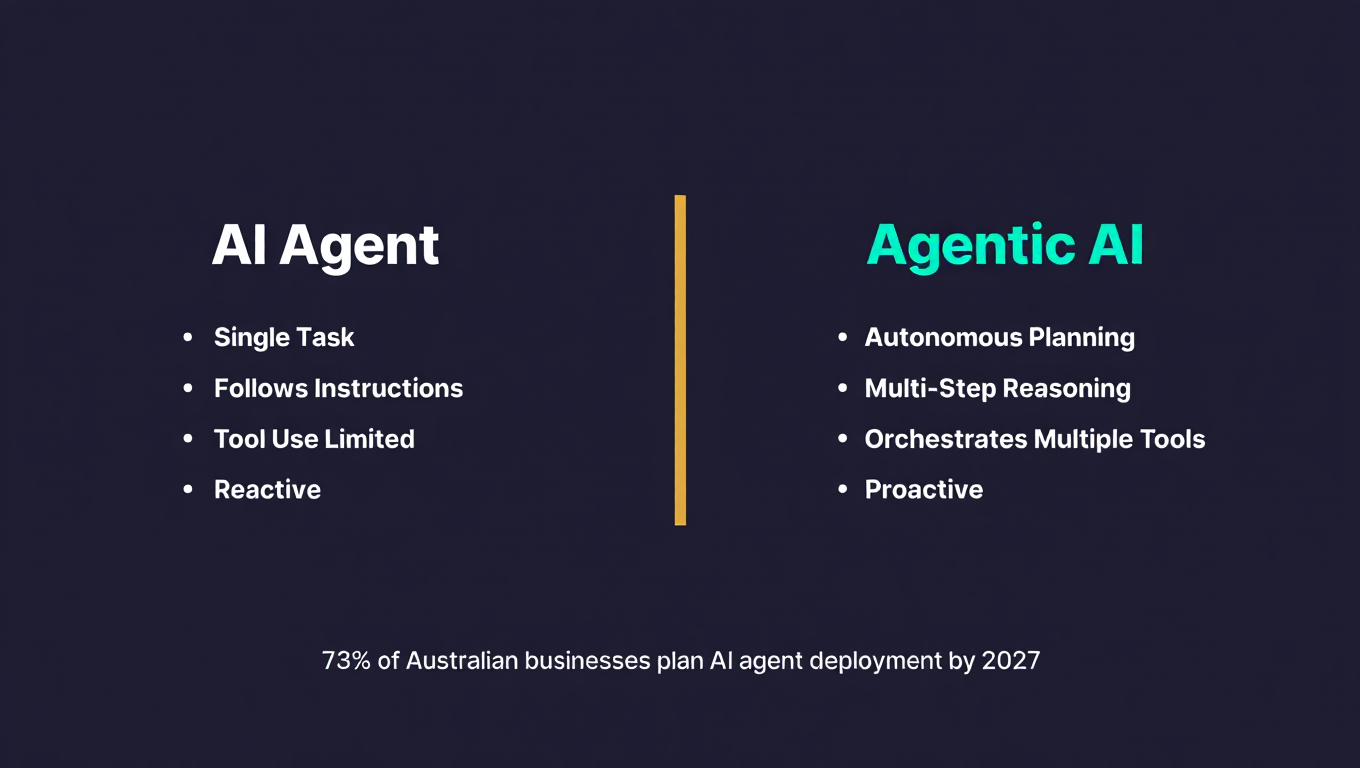
Answer Capsule: The critical difference is scope and orchestration. An AI agent handles one defined workflow autonomously, like processing invoices or qualifying inbound leads. Agentic AI orchestrates multiple specialized agents that collaborate on complex, multi-domain objectives. For most Australian businesses with 11 to 200 employees, starting with well-defined single agents delivers faster ROI. Agentic AI becomes valuable when you need cross-functional automation that spans sales, operations, and customer service simultaneously.
What Are Some Real Examples of AI Agents in Australian Businesses?
Theory is nice. Here is what is actually working right now in businesses like yours.
Lead Qualification Agent: A Brisbane accounting firm implemented an agent that reads every inbound email and web form submission, cross-references the enquiry against their ideal client profile, scores the lead, and routes hot leads to the right partner within 90 seconds. Response time dropped from 4 hours to under 2 minutes. Conversion rate on qualified leads increased by 34 percent.
Invoice Processing Agent: A Melbourne construction company with 45 employees was processing 200 to 300 invoices per month manually. Their agent reads PDF invoices via OCR, extracts ABN, amounts, and line items, matches them against purchase orders in their accounting system, flags discrepancies, and routes approved invoices for payment. Processing time per invoice went from 12 minutes to under 60 seconds.
Customer Support Triage Agent: A Sydney allied health practice uses an agent that handles incoming patient enquiries across phone, email, and web chat. It determines urgency, books appointments for routine requests, escalates clinical questions to practitioners, and sends confirmation messages. The practice reduced missed calls by 60 percent without hiring additional reception staff.
Proposal Drafting Agent: A Perth consulting firm feeds past proposals, client meeting notes, and scope templates into an agent. The agent generates first-draft proposals tailored to each prospect, including timeline estimates and pricing based on the project type. Proposal preparation time dropped from 8 hours to 45 minutes per proposal.
Compliance Monitoring Agent: Several financial services firms use agents that continuously monitor regulatory updates from ASIC, compare them against internal policies, and flag gaps that need attention. What previously required a dedicated compliance officer spending 15 hours per week now runs continuously in the background.
Answer Capsule: Australian businesses are using AI agents today for lead qualification, invoice processing, customer support triage, proposal drafting, and compliance monitoring. These are not hypothetical use cases. They are deployed in accounting firms, construction companies, health practices, and consulting firms across the country. The common pattern: agents eliminate repetitive, rule-based work that consumes hours of skilled employee time per week.
What Should a Beginner Know Before Implementing AI Agents?
If you are just getting started, here are the principles that will save you time, money, and frustration.
Start with a bottleneck, not a trend. Do not implement an AI agent because it sounds impressive. Implement one because you have identified a specific process where work stacks up, errors multiply, or skilled people spend time on tasks beneath their expertise. The best first agent solves a problem your team complains about weekly.
Choose a bounded workflow. Your first agent should have clear inputs, clear outputs, and clear rules for success or failure. "Handle all customer enquiries" is too broad for a first project. "Triage incoming support emails and route them to the right team member within 5 minutes" is a well-defined starting point.
Measure the baseline before you deploy. Document how long the task takes now, how much it costs, and what the error rate is. Without a baseline, you cannot calculate ROI, and ROI is how you justify expanding your agent deployment.
Plan for the edge cases. Agents handle routine tasks brilliantly. They struggle with unusual situations, emotionally complex interactions, and ambiguous instructions. Build in clear escalation paths to humans for edge cases. A good agent knows when to stop and ask for help.
Budget realistically. A well-implemented single agent typically costs between $2,000 and $10,000 for initial development and integration, with ongoing maintenance of $200 to $800 per month depending on usage and complexity. If someone quotes you $50,000 for your first agent, get a second opinion.
[INFOGRAPHIC: AI Agent Implementation Maturity Path] Visualize a four-stage maturity ladder on a dark background. Stage 1 (bottom): "Single Task Agent" with a light bulb icon, budget $2K to $5K, timeline 2 to 4 weeks, example: email triage. Stage 2: "Multi-Step Agent" with a gear chain icon, budget $5K to $15K, timeline 4 to 8 weeks, example: lead qualification pipeline. Stage 3: "Department Agent Network" with a network diagram icon, budget $15K to $40K, timeline 8 to 16 weeks, example: full sales automation. Stage 4 (top): "Agentic AI System" with a constellation icon, budget $40K to $80K+, timeline 12 to 24 weeks, example: cross-functional business intelligence. A teal arrow runs alongside showing increasing capability and complexity.
Answer Capsule: Beginners should start with a specific bottleneck in a bounded workflow, not a vague ambition to "use AI." Measure your baseline metrics first so you can track real ROI. Budget $2,000 to $10,000 for a first agent, plan for edge cases with human escalation paths, and expect 2 to 6 weeks from kickoff to deployment. The biggest mistake Australian businesses make is starting too broad and ending up with an expensive demo that nobody uses.
Which AI Agent Platforms and Courses Are Worth Your Time?
The landscape is moving fast. Here is my honest assessment as of May 2026.
Platforms for building agents:
n8n and Make.com are the two platforms I recommend most often for Australian SMBs. Both offer visual workflow builders with AI agent capabilities, extensive integration libraries, and pricing that scales with usage. Make.com tends to be more intuitive for non-technical users. n8n offers more flexibility for custom logic and self-hosting.
Microsoft Copilot Studio is the right choice if your business runs primarily on the Microsoft ecosystem (Teams, SharePoint, Dynamics). It integrates natively and has strong enterprise governance features. The trade-off is higher cost and longer setup time.
LangChain and CrewAI are developer frameworks for building custom agents from scratch. Use these if you have in-house development capability or are working with a technical partner. They offer maximum flexibility but require significant engineering expertise.
Google Vertex AI Agent Builder is emerging as a strong option for businesses already using Google Cloud. It combines Google's model capabilities with agent orchestration tools.
Courses and learning resources:
DeepLearning.AI offers Andrew Ng's "AI Agents in LangGraph" course, which is technically rigorous and freely available. Best for developers and technically inclined business owners.
Coursera's "AI for Everyone" by Andrew Ng remains the best non-technical introduction to what AI can and cannot do. It does not teach you to build agents, but it gives you the literacy to evaluate vendor claims critically.
LangChain's official documentation and tutorials have improved significantly. Their cookbook examples are practical and cover common agent patterns.
Udemy courses on Make.com and n8n vary in quality, but the top-rated ones (4.5+ stars, 10,000+ students, updated within 6 months) provide hands-on practice for visual agent building.
For Australian business owners who want practical implementation without becoming developers, I would start with Make.com's built-in tutorials, then move to DeepLearning.AI for deeper understanding.
Answer Capsule: For Australian SMBs, Make.com and n8n are the most practical platforms for building AI agents without deep technical expertise. Microsoft Copilot Studio suits businesses already in the Microsoft ecosystem. For learning, DeepLearning.AI offers the best technical course, while Coursera's "AI for Everyone" provides essential AI literacy. Avoid platforms and courses that promise "no-code AI agents in 30 minutes" without mentioning integration, testing, and maintenance realities.
How Do AI Agents Work with Copilot and Other Enterprise Tools?
Microsoft Copilot, Google Gemini for Workspace, and similar enterprise AI tools are creating a common confusion: are these AI agents or something else?
Copilot is best understood as an AI assistant embedded in your existing tools. It suggests, drafts, and analyzes within the context of a single application. When you ask Copilot to summarize a Word document or draft an email in Outlook, it operates within that specific scope.
An AI agent goes further. It can chain multiple actions across multiple systems autonomously. An agent might read an email in Outlook, look up the sender's company in your CRM, check their contract status in your billing system, draft a response based on all that context, and send it, all without you clicking anything.
The practical distinction for your business:
- Use Copilot/Gemini when you want to enhance individual employee productivity within familiar tools. A consultant drafting proposals faster. An accountant analyzing spreadsheets more efficiently. A manager summarizing meeting notes.
- Use AI agents when you want to automate entire workflows that cross multiple systems and require multi-step decision logic. Lead qualification pipelines. Invoice processing. Customer onboarding sequences.
Many businesses benefit from both. Your team uses Copilot for daily productivity boosts, while agents handle the recurring workflows that currently require manual handoffs between systems.
The emerging trend in 2026 is that enterprise tools are gradually adding agent capabilities. Microsoft's Copilot Studio lets you build custom agents that operate across the Microsoft ecosystem. Google's Vertex AI Agent Builder does the same for Google Cloud. The line between "AI assistant" and "AI agent" is blurring, but for now, understanding the distinction helps you invest wisely.
Answer Capsule: Copilot and similar enterprise AI tools are assistants that enhance individual tasks within a single application. AI agents automate multi-step workflows across multiple systems autonomously. Use Copilot when you want faster individual work. Use agents when you want entire processes to run without human intervention. The smartest Australian businesses deploy both: Copilot for employee productivity and agents for workflow automation.
What Does AI Agent Implementation Actually Look Like in Practice?
Here is the implementation framework I use with Flowtivity clients. It is deliberately pragmatic because most consulting frameworks look impressive in PowerPoint and fall apart in the real world.
Phase 1: Discovery and Mapping (Week 1 to 2)
Map the target process end to end. Document every step, every decision point, every handoff between people and systems. Identify where data enters, where decisions happen, and where outputs go. This phase usually reveals that the process is less standardized than anyone thought. That is valuable information, not a problem.
Phase 2: Agent Design (Week 2 to 3)
Define the agent's inputs, outputs, decision logic, and escalation triggers. Choose the platform. Design the integrations. Build in logging so you can audit every decision the agent makes. This is also where you define the success metrics: response time, accuracy rate, cost per transaction, or whatever matters for that specific workflow.
Phase 3: Build and Test (Week 3 to 5)
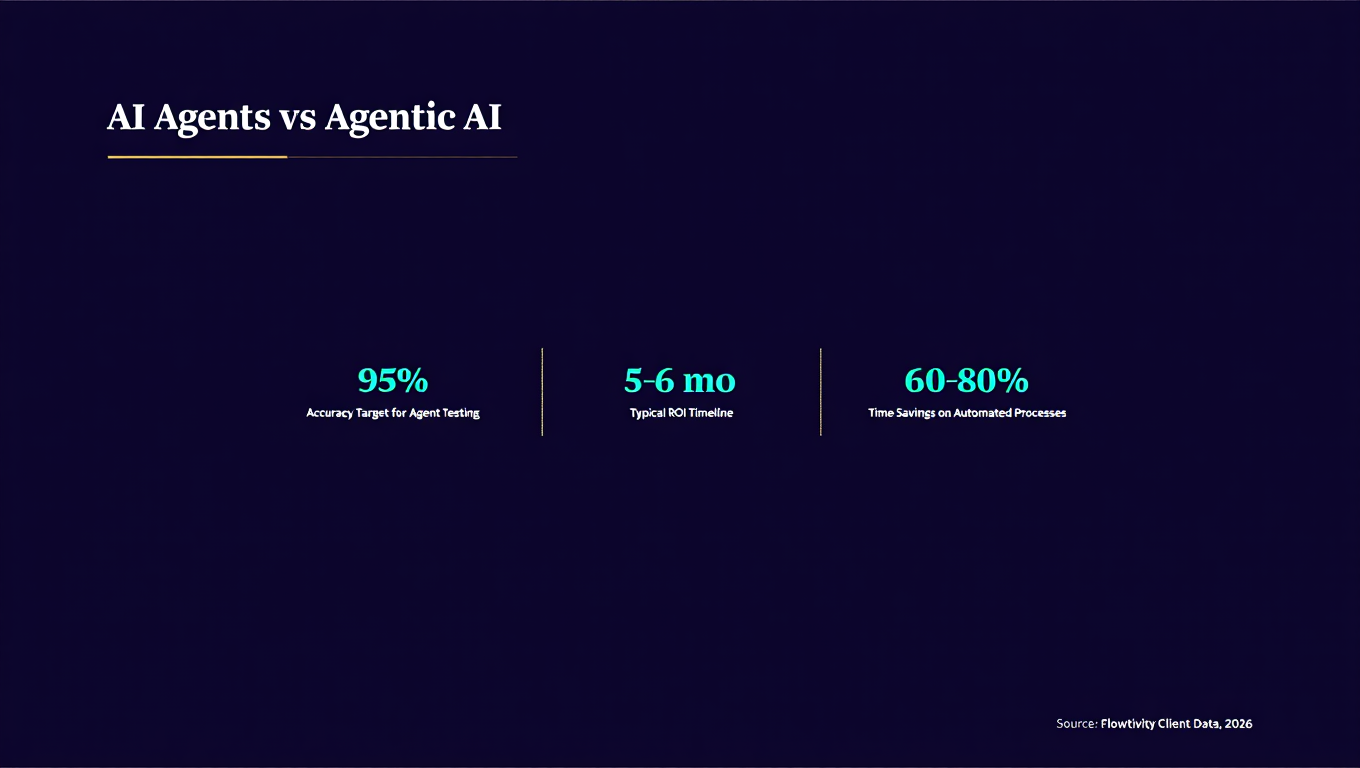
Build the agent in a test environment with real data from the past 30 to 90 days. Run it in shadow mode alongside the human process. Compare outputs. Find the edge cases where the agent gets confused. Refine the logic. Test again. The goal is 95 percent or better accuracy on routine tasks before going live.
Phase 4: Controlled Deployment (Week 5 to 6)
Deploy to a limited scope: one team, one client segment, one location. Monitor closely. Expect to find issues that testing did not catch because production data is messier than test data. Fix, refine, expand.
Phase 5: Full Deployment and Monitoring (Week 6 onwards)
Roll out fully. Set up ongoing monitoring dashboards. Schedule monthly reviews of agent performance, accuracy, and edge case handling. Update the agent as your business processes evolve.
The total timeline from kickoff to full deployment for a single agent is typically 4 to 8 weeks. Budget 10 to 15 percent of initial development cost per quarter for maintenance and optimization.
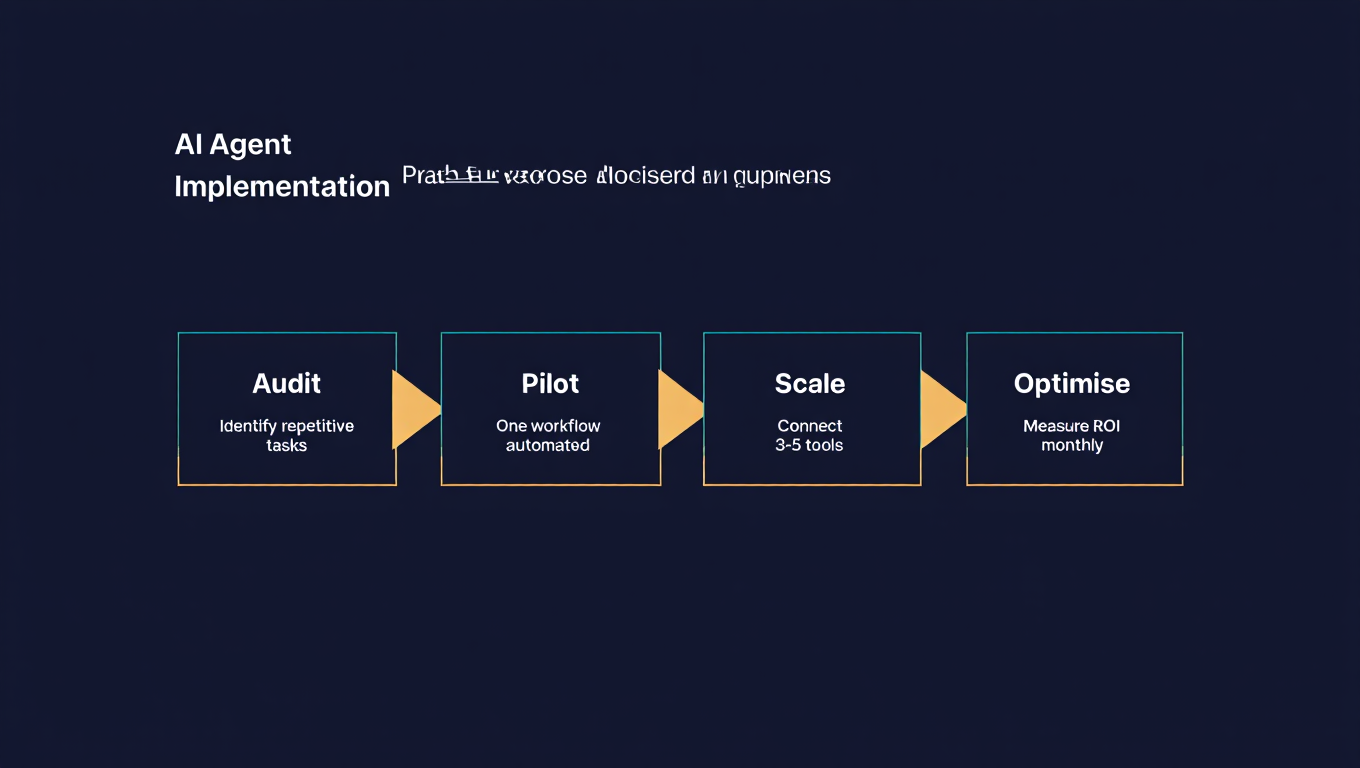
Answer Capsule: A practical AI agent implementation takes 4 to 8 weeks and follows five phases: discovery and process mapping, agent design, build and test with historical data, controlled deployment to a limited scope, and full rollout with monitoring. The most critical phase is testing, where you run the agent alongside existing human processes and verify 95 percent or better accuracy on routine tasks before going live. Expect to invest 10 to 15 percent of initial development cost per quarter for ongoing optimization.
What Are the Risks and How Do Australian Businesses Mitigate Them?
No technology deployment is risk-free. Here are the real risks I see in practice and how to address them.
Data privacy and sovereignty: Australian businesses must comply with the Privacy Act 1988 and, depending on industry, additional regulations. When your AI agent processes customer data, you need to know where that data goes, how it is stored, and who can access it. Choose platforms and providers that offer Australian data residency or clear data processing agreements.
Over-reliance and skill atrophy: If an agent handles a task completely, the humans who used to do that task gradually lose the skill. Maintain human oversight and ensure your team understands the underlying process, not just how to monitor the agent.
Vendor lock-in: Building agents entirely within one platform's ecosystem can make it expensive to switch later. Use standard APIs where possible and maintain documentation of your agent logic in a platform-agnostic format.
Hallucinations and errors: LLM-powered agents can generate confident but incorrect outputs. This is why shadow testing against real historical data is non-negotiable. Build confidence thresholds that trigger human review rather than allowing agents to proceed when uncertain.
Cost overruns: Agent usage costs can scale unexpectedly, especially with LLM API calls. Set usage budgets and alerts. Monitor cost per transaction and compare it regularly against the value delivered.
Change management: Employees may resist agents that they perceive as threatening their jobs. Frame agents as tools that eliminate boring work and free people for higher-value tasks. This framing is accurate, and it matters for adoption.
Answer Capsule: The main risks for Australian businesses deploying AI agents are data privacy compliance, vendor lock-in, agent errors (hallucinations), cost overruns, and employee resistance. Mitigate these by choosing platforms with Australian data residency, shadow testing against historical data before going live, setting usage budgets and alerts, maintaining platform-agnostic documentation, and framing agents as tools that eliminate repetitive work rather than replace people.
What Is the ROI for Australian Businesses Investing in AI Agents?
Let me give you the framework I use with clients, because "it depends" is not helpful when you are making investment decisions.
Direct time savings: Calculate the hours currently spent on the target process per week, multiply by the fully loaded cost of the people doing it, and subtract the cost of agent operation and maintenance. For most administrative processes, agents recover 60 to 80 percent of the time currently spent.
Error reduction: Manual data entry has a 1 to 4 percent error rate in most businesses. Agents operating on well-defined rules typically achieve error rates below 0.5 percent. Calculate the cost of errors today: rework, customer complaints, compliance issues, missed opportunities.
Revenue impact: For customer-facing agents (lead qualification, appointment booking, quote generation), measure the increase in conversion rate and response speed. Our data shows that response time under 5 minutes increases qualification rates by 40 to 60 percent compared to response times over 1 hour.
Capacity creation: The most overlooked ROI component. When agents handle routine work, your skilled people have capacity for higher-value activities: strategy, relationship building, complex problem solving. This capacity is where the real compound returns come from.
Based on our client data across Australian businesses with 11 to 200 employees, the typical ROI timeline is:
- Month 1 to 2: Implementation and testing. Net cost with no returns yet.
- Month 3 to 4: Agent goes live. Time savings become measurable. Most businesses see 20 to 40 percent reduction in hours spent on the automated process.
- Month 5 to 6: Full ROI achieved. The combination of time savings, error reduction, and capacity creation exceeds the total investment.
- Month 7 onwards: Compounding returns. Each additional agent builds on existing infrastructure, reducing marginal implementation cost.
Answer Capsule: Australian businesses typically achieve full ROI on AI agent investments within 5 to 6 months. The return comes from four sources: direct time savings (60 to 80 percent of hours on automated processes), error reduction (from 1 to 4 percent down to below 0.5 percent), revenue impact from faster response times, and capacity creation for higher-value work. The first agent takes 4 to 8 weeks to deploy. Subsequent agents build on existing infrastructure, making each one faster and cheaper to implement.
What Should Australian Businesses Do Next?
Here is my recommendation based on what is working for businesses like the ones we serve at Flowtivity.
Step 1: Audit your operations. Walk through your major business processes and flag every one where work piles up, errors recur, or skilled people spend time on repetitive tasks. You will find at least three to five candidates for AI agent automation.
Step 2: Pick one. Choose the process with the clearest boundaries, the most measurable current state, and the highest pain level. Do not start with the most complex process or the most glamorous one. Start with the one that frustrates your team the most.
Step 3: Measure everything. Document current processing time, error rate, cost per transaction, and customer satisfaction for that process. These become your ROI benchmarks.
Step 4: Build or partner. If you have technical capability in house, platforms like n8n and Make.com let you build agents yourself. If not, work with a specialist who understands both AI agents and Australian business operations. Generic AI consultants who have never dealt with ASIC compliance or Australian employment law will miss critical context.
Step 5: Start small, measure, expand. Deploy your first agent in a controlled scope. Measure the results against your baseline. Use the learnings to improve and expand. Each successful agent makes the next one easier to justify and faster to deploy.
The businesses that will thrive in 2026 and beyond are not the ones that wait for AI to become perfect. They are the ones that start learning now, build institutional knowledge, and compound their capabilities over time. Every month you wait is a month your competitors are getting faster and more efficient.
Answer Capsule: Start by auditing your operations for processes where work bottlenecks, errors recur, or skilled people waste time on repetitive tasks. Pick one bounded, measurable, high-pain process. Document your baseline metrics. Build or partner with someone who understands both AI agents and Australian business context. Deploy in a controlled scope, measure results, and expand from there. The businesses winning with AI in 2026 are the ones that started with one practical problem and built from there, not the ones waiting for perfection.
About the Author
AJ Awan is the founder of Flowtivity, an AI consultancy helping Australian businesses automate workflows and implement AI agents. He spent six years at EY as Manager in IT Advisory, delivering over $15 million in business benefits across clients including IAG, Genesis Care, CBA, Westpac, and Ausgrid. He holds a TOGAF 9 Enterprise Architecture certification and a double degree in Business and IT from QUT. Flowtivity specializes in practical AI implementation for businesses with 11 to 200 employees.
Frequently Asked Questions
One email a month, no noise
Practical AI notes for Australian businesses. Unsubscribe anytime.