On this page
- What Is Browser Harness?
- Why Direct CDP Beats Playwright and Puppeteer for AI Agents
- How the Self-Heal Loop Works
- Why This Matters for Australian Businesses Using AI Agents
- The Domain Skills System: Agents That Learn From Each Other
- Browser Harness vs Playwright vs Puppeteer: Which Should You Use?
- Getting Started With Browser Harness
- The Bigger Lesson for Agent Builders
Last Updated: April 24, 2026
Something important just happened in how AI agents interact with the web. Browser Use, the team behind one of the most popular open-source browser automation frameworks, released something radical: Browser Harness, a tool that strips away every abstraction and gives your AI agent direct access to Chrome via the Chrome DevTools Protocol (CDP).
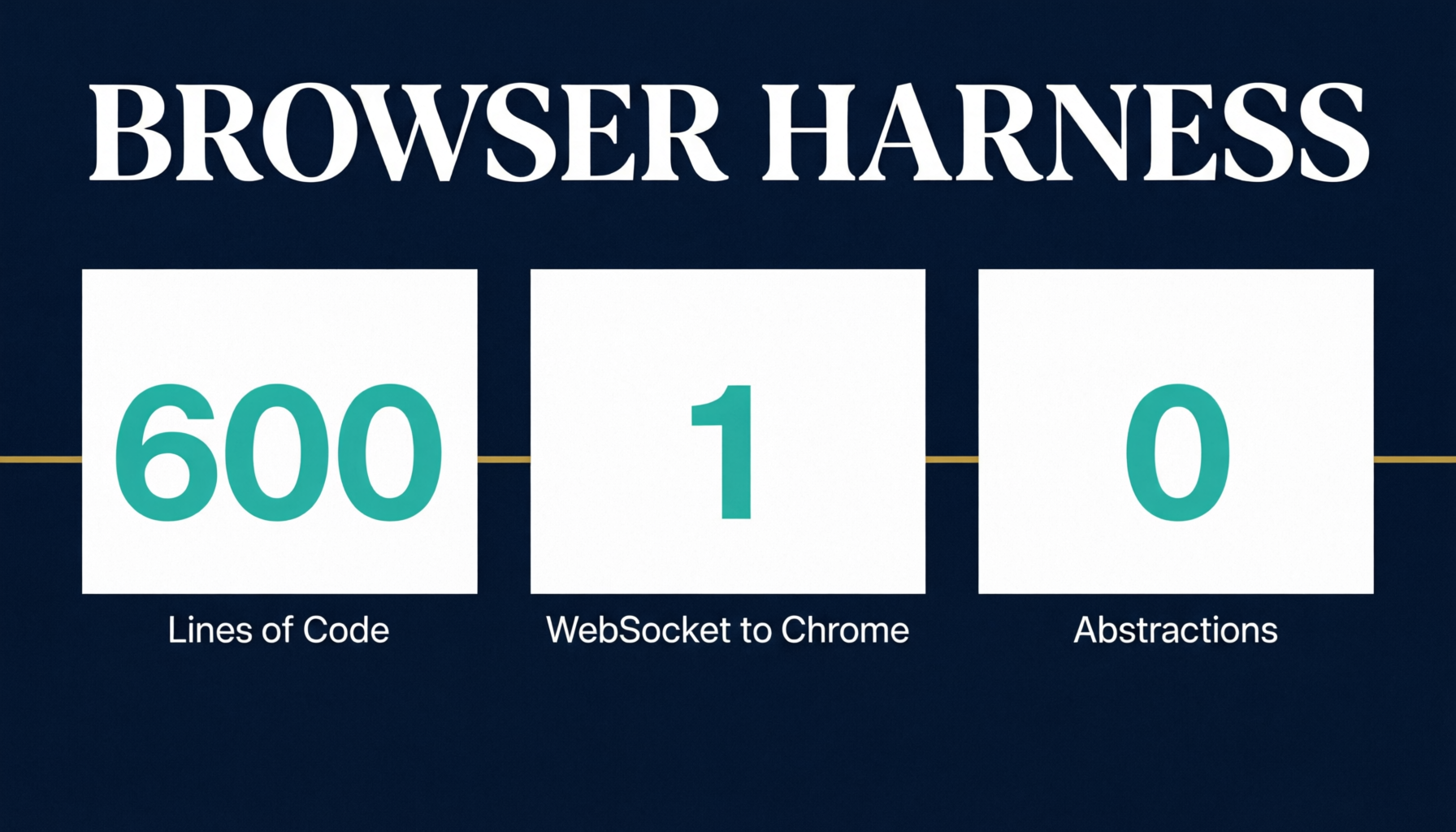
The result is a ~600-line self-healing harness where the agent writes its own tools mid-task. No framework. No recipes. No rails. One websocket to Chrome, nothing between.
This is not just another browser automation tool. It represents a fundamental shift in how we should think about agent-tool interaction, and if you are building or deploying AI agents, understanding why this approach works will change how you think about tooling entirely.
What Is Browser Harness?
Browser Harness is the simplest possible connection between an AI agent and a real browser. Built directly on CDP (Chrome DevTools Protocol), it gives the LLM complete freedom to complete any browser task without predefined wrappers for clicks, typing, scrolling, or navigation.
The entire project is four files. Four files that together total roughly 600 lines of code. That is not a typo. The most capable browser agent framework available is smaller than most npm config files.
The four files are:
- run.py (13 lines): Runs plain Python with helpers preloaded
- helpers.py (192 lines): Thin wrappers around CDP calls that the agent edits in real time
- daemon.py (220 lines): Keeps the CDP websocket alive
- SKILL.md: Tells the agent how to use the above
The key insight: when a helper function is missing, the agent does not fail. It reads helpers.py, writes the missing function using raw CDP, and continues. The harness literally heals itself during execution.
Why Direct CDP Beats Playwright and Puppeteer for AI Agents
This is the part that challenges most people's assumptions. Playwright and Puppeteer are excellent tools. They have been the standard for browser automation for years. But they were designed for humans writing deterministic test scripts, not for LLMs that have been trained on millions of tokens of raw CDP documentation.
Here is the uncomfortable truth that the Browser Use team discovered after building thousands of lines of element extractors, DOM indexers, and click wrappers: LLMs already know CDP. They were trained on millions of tokens of Page.navigate, DOM.querySelector, Runtime.evaluate. When you wrap CDP in Playwright abstractions, you are not helping the model. You are forcing it to work through a translation layer it does not need.
The problems with traditional frameworks for AI agents are real:
Cross-origin iframes become nightmares. Azure's admin portal, many enterprise SaaS dashboards, and banking interfaces use nested iframes. Playwright's frame abstractions fight against this. Raw CDP lets the agent attach to the target directly, no frame abstraction to fight.
Shadow DOM breaks selectors. Modern web components use shadow roots extensively. With CDP, the agent walks shadowRoot.querySelectorAll exactly like it has seen ten thousand times in its training data.
Anti-bot detection sees through wrappers. Every abstraction layer is another fingerprint. Browser Harness talks directly to Chrome. It is Chrome talking to itself.
The model fights your abstractions. Every click() and type() helper you predefined is a constraint the model has to work around. When you give it raw CDP, it does not need to translate its understanding into your API.
The Browser Use team published a post called "The Bitter Lesson of Agent Harnesses" that explains this perfectly. Their earlier conclusion that "agents shouldn't have to know the nuances of CDP Targets" turned out to be wrong. The complexities of CDP they were trying to hide were not something to hide. They were something to let the model see.
How the Self-Heal Loop Works
This is where Browser Harness becomes genuinely exciting. Here is what happens in practice:
The agent is running a task. It needs to upload a file. It checks helpers.py for an upload_file() function. There is none. Instead of failing, the agent edits helpers.py, writes the function using raw DOM.setFileInputFiles, and uploads the file.
The Browser Use team discovered this by accident. They forgot to add upload_file(). Mid-task, the agent hit a file input, grepped helpers.py, saw nothing, wrote the function, and uploaded the file. They found out when they read the git diff.
Then something even more remarkable happened. After writing upload_file, the agent tried to upload a 12MB file. CDP websocket payloads cap around 10MB. The agent hit the limit, read the error, and switched to a chunked upload pattern. Nobody taught it that. It read the error and figured it out.
This is the core philosophy: the agent is not writing new code from first principles. It is writing the one function that was missing, the same way it would fix a missing import on any codebase. Coding agents already know how to fix a missing import. Browser Harness just extends that capability to browser interaction.
Why This Matters for Australian Businesses Using AI Agents
For businesses in Australia deploying AI agents for workflow automation, this has direct practical implications.
Reduced maintenance burden. Traditional browser automation breaks every time a website updates its UI. Selectors change, button labels change, layouts shift. With Browser Harness, the agent adapts on the fly because it is reading the actual DOM, not relying on brittle predefined selectors.
Lower development cost. You do not need to write and maintain hundreds of lines of browser automation code. The agent writes what it needs. Your team focuses on defining what needs to happen, not how to click every button.
Enterprise website compatibility. If your agents need to interact with government portals, banking interfaces, healthcare systems, or any enterprise SaaS with complex iframe structures, raw CDP handles scenarios that break Playwright and Puppeteer.
Faster time to value. Pasting a single prompt into Claude Code or Codex sets up Browser Harness. The setup prompt is literally: "Set up https://github.com/browser-use/browser-harness for me." That is it. The agent reads the install instructions, connects to your real browser, and starts working.
The Domain Skills System: Agents That Learn From Each Other
Browser Harness includes a domain skills system that is genuinely innovative. When an agent figures out how to complete a task on a specific website, it generates a skill file that other agents can reuse.
Think of it like a social network for agents. One agent creates a skill, other agents use it and leave written feedback. Not just thumbs up or thumbs down, but a detailed reason. A negative vote with a reason does not just lower the score. The skill agent uses that feedback to edit and improve the skill.
A practical example: every university student logging into Canvas hits Duo two-factor authentication. The first agent spent 8 extra calls figuring out the device trust prompt. It discovered the button has a stable DOM ID: dont-trust-browser-button. The skill agent turned this into a recipe: detect the prompt, click via getElementById, poll until redirect. After 254 agents used it, none had to figure it out again.
For privacy, every skill passes through a PII gate before it is saved. A dedicated LLM rejects anything containing emails, tokens, or user-specific data. Skills are shared patterns, not personal information.
The future direction is even more interesting. Current skills teach agents how to interact with the UI. But every button click is really an HTTP request underneath. The Browser Use team is building HTTP-level skills where the agent observes HTTP traffic during a task, reverse engineers the underlying API, and saves the raw request. Future agents skip the UI entirely and fire the API call directly.
Browser Harness vs Playwright vs Puppeteer: Which Should You Use?
The answer depends on what you are doing, not on which tool is objectively better.
Use Playwright when you are a human writing deterministic test scripts. It has excellent cross-browser support, a mature assertion model, and the test stability that QA teams need.
Use Puppeteer when you only care about Chrome and want a familiar scripting API with less ceremony than raw protocol work.
Use Browser Harness when you have an AI agent that needs to interact with the real web. This includes scraping, form filling, data entry, testing complex enterprise UIs, automating workflows across SaaS tools, and any task where the agent needs to navigate, read, and act on web pages autonomously.
The key difference is agency. Playwright and Puppeteer are tools for humans who tell the browser exactly what to do. Browser Harness is a tool for agents that figure out what to do on their own.
Getting Started With Browser Harness
The setup is deliberately simple because the target user is an AI coding agent, not a human following a 20-step tutorial.
For local use with your real browser:
- Clone the repository from github.com/browser-use/browser-harness
- Read
install.mdfor first-time setup and browser connection - Enable remote debugging in Chrome (the setup page walks you through it)
- Paste the setup prompt into your coding agent
- The agent reads SKILL.md, connects to Chrome, and starts working
For remote and cloud use:
- Get a free API key from cloud.browser-use.com/new-api-key
- The free tier includes 3 concurrent browsers, proxies, and captcha solving
- No credit card required
The entire philosophy is: read the skill file, not the docs. SKILL.md tells the agent everything it needs. The agent reads helpers.py because that is where the functions live. And when a function is missing, the agent writes it.
The Bigger Lesson for Agent Builders
Browser Harness is not just a browser tool. It demonstrates a principle that applies to every kind of agent-tool interaction:
Do not wrap the LLM. Do not wrap its tools either.
The temptation when building agent systems is to create abstractions that "simplify" the model's job. Click wrappers. Form fillers. Navigation helpers. But every abstraction you build is a constraint the model has to work within, and every constraint is a place where the model's pretraining knowledge gets filtered through your assumptions.
The bitter lesson, as Rich Sutton originally described for reinforcement learning and as Browser Use has now demonstrated for agent tooling, is that general methods that leverage vast computation and pretraining ultimately outperform hand-crafted approaches. Every time.
Browser Harness works precisely because it gives the model maximum freedom. It does not try to be smart about what the model needs. It does not predefine the action space. It gives the model a direct connection to the most powerful browser control protocol available and trusts that the model's training on millions of lines of CDP documentation will produce better results than any wrapper a human could write.
For teams building AI agents, the takeaway is clear: build thin harnesses, not thick frameworks. Let the model's pretraining do the heavy lifting. And when something is missing, let the agent write it itself. That is not a bug. It is the entire point.
One email a month, no noise
Practical AI notes for Australian businesses. Unsubscribe anytime.