
On this page
Last Updated: June 23, 2026
AI agents can browse the web. They can write code. But until recently, they couldn't do what every office worker does daily — open a desktop app, click through a interface, fill out forms, and complete real work across multiple applications. Cua changes that.
What Is Cua?
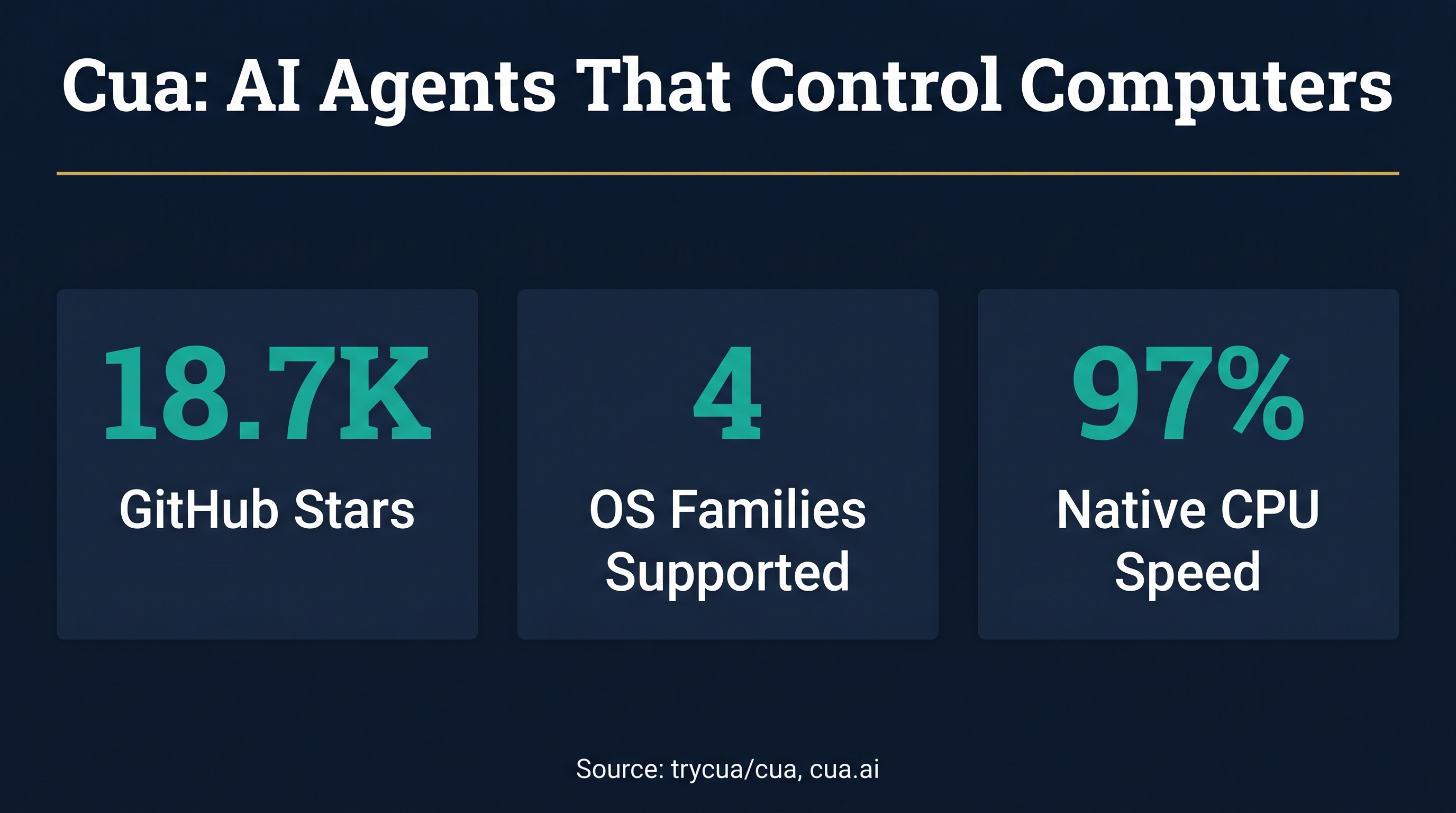
Cua is an open-source infrastructure framework that lets AI agents control full desktop environments across macOS, Linux, and Windows. Backed by Y Combinator (Spring 2025 batch) with $500K in seed funding from 468 Capital, Orange Collective, and Script Capital, Cua provides the sandboxes, SDKs, and benchmarks needed to build, train, and evaluate computer-use agents. With over 18,700 GitHub stars, it's one of the fastest-growing open-source AI infrastructure projects of 2026.
The key innovation is simple but powerful: agents interact with computer interfaces the same way humans do — by seeing screens, clicking buttons, typing text, and navigating applications. No APIs required. No integrations to build. If a human can use the software, a Cua-powered agent can too.
How Cua Works: Three Core Components
Cua's architecture is built around three pillars that work together to enable full computer control.
Cua Driver is the background computer-use layer. It lets agents click, type, scroll, and inspect accessibility trees without taking over the user's cursor or focus. This means agents can work alongside humans on the same machine — a critical feature for real-world deployment. Cua Driver includes both an MCP (Model Context Protocol) server and a CLI, so it integrates directly with Claude Code, Cursor, Codex, OpenClaw, and custom agent frameworks.
Cua Sandbox provides isolated, high-performance virtual environments where agents operate safely. These sandboxes run on Linux containers, Linux VMs, macOS VMs, Windows VMs, and even Android environments — all controlled through a single Python API. On Apple Silicon, sandboxes achieve up to 97% native CPU speed, meaning agents run at near-real-time performance.
Cua Bench delivers benchmarks and reinforcement learning environments for evaluating computer-use agents. It supports OSWorld, ScreenSpot, Windows Arena, and custom task evaluation, with trajectory export for model training. This makes Cua not just a runtime but a full research and development platform.
Why Cua Matters for Business Automation
The practical implications for growing businesses are significant. Traditional automation requires APIs, integrations, or brittle RPA scripts that break when interfaces change. Cua-powered agents adapt dynamically — they can see when a button moves, recognize new UI elements, and adjust their approach without reprogramming.
Real-world use cases include:
- Legacy system automation — Agents can operate enterprise software that has no API, no export function, and no modern integration path
- CAD and design tools — A CAD copilot can manipulate complex engineering software through visual interaction
- Data collection across platforms — Agents navigate multiple disconnected systems to gather and consolidate data
- Form-heavy workflows — Insurance claims, compliance filings, government tenders — any process that requires clicking through complex interfaces
- Cross-application orchestration — Agents move data between apps that were never designed to talk to each other
For businesses stuck with "we'd automate this if the software had an API," Cua removes that constraint entirely.
Cua vs Browser-Use vs OpenCUA: How They Compare
The computer-use agent landscape has three major open-source players, each with different strengths.
Cua (trycua/cua) focuses on infrastructure — sandboxes, drivers, and evaluation. It's the most production-ready option for deploying agents that need to operate desktop applications in real environments. Its background computer-use driver (works without stealing cursor focus) and MCP integration make it uniquely suited for real-world deployment alongside human workers.
Browser-Use is the web-focused alternative. It gives AI agents autonomous browser control using Playwright under the hood. If your automation needs are purely web-based — navigating websites, filling web forms, scraping web data — Browser-Use is lighter weight and simpler to deploy. But it can't touch desktop applications.
OpenCUA (from xlang-ai) is the research-focused option. It includes AgentNet, a massive dataset of human computer-use demonstrations across Windows, macOS, and Ubuntu, plus AgentNetBench for evaluation. OpenCUA models (7B, 32B, and 72B parameter sizes) have achieved state-of-the-art performance on OSWorld benchmarks, sometimes outperforming proprietary models from OpenAI and Anthropic. It's ideal for teams training custom computer-use models.
The bottom line: Cua for production infrastructure, Browser-Use for web-only tasks, OpenCUA for model training and research.
Getting Started With Cua
Installing Cua takes minutes. The Cua Driver works on macOS, Windows, and Linux (pre-release):
macOS / Linux:
/bin/bash -c "$(curl -fsSL https://raw.githubusercontent.com/trycua/cua/main/libs/cua-driver/scripts/install.sh)"
Windows (PowerShell):
irm https://raw.githubusercontent.com/trycua/cua/main/libs/cua-driver/scripts/install.ps1 | iex
Wire it into Claude Code as an MCP server and your agent can drive the desktop in the background:
claude mcp add --transport stdio cua-driver -- cua-driver mcp
For the Python SDK:
pip install cua
Then build agents that see screens, click buttons, and complete tasks autonomously:
from cua import Sandbox, Image

async with Sandbox.ephemeral(Image.linux()) as sb:
    result = await sb.shell.run("echo hello")
    screenshot = await sb.screenshot()
    await sb.mouse.click(100, 200)
    await sb.keyboard.type("Hello from Cua!")
The same API works regardless of operating system — Linux, macOS, Windows, or Android. You can run sandboxes in the cloud via cua.ai or locally using QEMU.
The Bigger Picture: Computer-Use Agents in 2026
Cua exists within a rapidly maturing ecosystem. Anthropic's Computer Use API (Claude), OpenAI's Computer-Using Agent (Operator), and Microsoft's Copilot Studio computer-use tool all offer proprietary approaches to the same problem. Google's Project Mariner is exploring similar territory.
What makes Cua different is openness. The MIT-licensed framework means businesses can deploy computer-use agents on their own infrastructure, with full control over data and execution. No vendor lock-in. No per-action pricing. No black box.
For Australian businesses evaluating AI automation, this matters. The ability to run agents on-premise (or BYOC — bring your own cloud) addresses data sovereignty concerns that block many enterprise deployments. SOC 2 readiness and on-prem availability make it viable for regulated industries.
The computer-use agent market is where browser automation was five years ago — early, powerful, but requiring expertise to deploy effectively. The teams that figure it out now will have a 12-18 month head start on competitors still waiting for APIs that may never come.
Should You Build With Cua?
Build with Cua if:
- You need to automate desktop applications without APIs
- You want agents that work alongside human operators
- You need on-premise or BYOC deployment
- You're building custom agent workflows with MCP-compatible tools
Wait if:
- Your automation is purely web-based (Browser-Use is simpler)
- You need production stability on Linux (still in pre-release)
- You don't have Python development capability
Cua represents a fundamental shift in what's automatable. The question isn't whether computer-use agents will become standard — it's whether your business will be early or late to adopt them.
Want to explore what computer-use agents could do for your business? Flowtivity builds custom AI agent solutions for growing Australian companies. Get in touch for a prototype built around your specific workflow.
One email a month, no noise
Practical AI notes for Australian businesses. Unsubscribe anytime.

