On this page
- What Do You Need Before Installing Multica?
- How Do You Install Multica on macOS and Linux?
- How Do You Connect OpenClaw as a Runtime?
- How Do You Create Your First AI Agent in Multica?
- How Do You Assign Tasks From the Multica Board?
- What Is the Multica Skills System and Why Does It Matter?
- How Do You Configure Agent Guardrails and Safety?
- What Real Tips Help From Actual Client Implementations?
- How Does Multica Handle Multiple Agents Working Simultaneously?
- What Are Common Setup Mistakes to Avoid?
- Frequently Asked Questions
- Can Multica work with local AI models instead of cloud providers?
- How much does it cost to run Multica with OpenClaw?
- Is Multica suitable for non-technical teams?
- How does Multica compare to using AI agents directly in IDEs?
- What security considerations should Australian businesses keep in mind?
Last Updated: April 2026
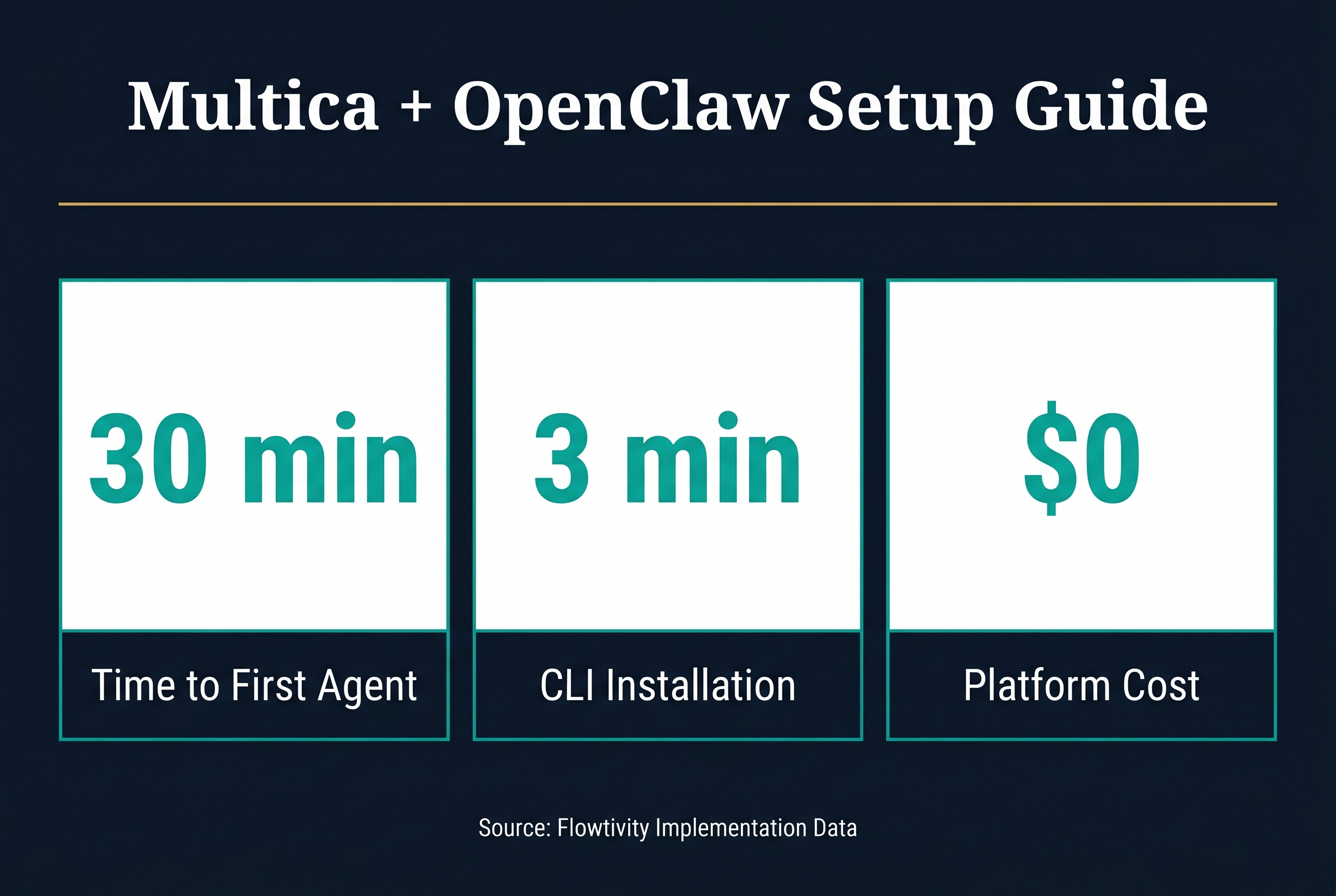
Setting up Multica with OpenClaw gives you a complete AI agent management platform that handles task coordination, code review, and multi-agent workflows from a single interface. This tutorial walks through every step based on real implementations with Australian businesses, from installation to your first working agent in under 30 minutes.
Multica is an open-source platform for managing multiple AI coding agents. OpenClaw is the runtime that powers the agents. Together, they let you assign tasks to AI agents the same way you assign tickets to junior developers. You get a board view for task tracking, a skills system for building reusable agent capabilities, and full control over which models and tools each agent can access. The combination works particularly well for growing businesses that need AI assistance but want human oversight on every output.
What Do You Need Before Installing Multica?
Before starting, you need a machine running macOS or Linux with at least 8GB of RAM, Node.js 18 or later, and a terminal. You also need an API key for at least one AI model provider such as Anthropic, OpenAI, or a local model running through Ollama. OpenClaw must be installed first since Multica connects to it as a runtime. If you are setting this up on a cloud server, a basic DigitalOcean droplet or AWS EC2 instance with 2 vCPUs works fine for managing up to five agents simultaneously.
The key prerequisites are straightforward. Install Node.js through your preferred package manager. Install OpenClaw globally using npm. Have your AI provider API key ready. No database is required for local development because Multica stores state in files on disk. For production or team use, you will want PostgreSQL configured, but that is covered in our self-hosting guide.
How Do You Install Multica on macOS and Linux?
Installing Multica takes two commands. First, install the Multica CLI through npm by running npm install -g @multica/cli in your terminal. Then run multica init in your project directory to create the configuration file and folder structure. The init command asks for your preferred model provider, API key, and workspace name. After that, run multica board to launch the web interface, which opens automatically in your browser at localhost:3000.
The installation process pulls the Multica core, the board interface, and the task runner. The board is where you create agents, assign tasks, and review completed work. Think of it as a simplified Jira that talks to AI agents instead of human developers. The whole setup takes about three minutes on a decent internet connection. If you hit permission errors on macOS, prefix commands with sudo or fix your npm global directory permissions.
How Do You Connect OpenClaw as a Runtime?
Connecting OpenClaw to Multica is the critical step that makes everything work. OpenClaw acts as the agent runtime, meaning it handles the actual execution of tasks while Multica handles coordination and oversight. Open the Multica board, navigate to Settings then Runtimes, and click Add Runtime. Select OpenClaw from the list. Multica will detect your local OpenClaw installation automatically if it is installed globally. If not, provide the path to the OpenClaw binary manually.
The connection between Multica and OpenClaw uses a local socket by default, which means zero latency between task assignment and execution start. For remote setups, you can configure OpenClaw to accept connections over SSH or through a secure API endpoint. This is useful when your agents run on a dedicated build server while you manage tasks from your laptop. Once connected, the runtime status shows as green in the board interface, and you are ready to create your first agent.
How Do You Create Your First AI Agent in Multica?
Creating an agent in Multica means defining its capabilities, model, and constraints. From the board interface, click New Agent and give it a name that reflects its purpose. For example, "feature-builder" for an agent that implements new features, or "bug-fixer" for one focused on resolving issues. Select the model you want the agent to use. Claude Sonnet is a strong default for coding tasks. Set the working directory to your project folder so the agent knows where to read and write files.
The most important configuration choice is the agent's permission level. Read-only agents can analyze code but cannot make changes. Write agents can modify files but cannot execute arbitrary commands. Full-access agents can do anything including running shell commands. For your first agent, start with write-level permissions. You can always increase access later. Each agent also gets a system prompt that defines its behavior, coding standards, and any project-specific conventions it should follow. This is where you embed your team's style guide, testing requirements, and documentation standards.
How Do You Assign Tasks From the Multica Board?
Task assignment in Multica works like assigning tickets in a project management tool. From the board view, click New Task and write a clear description of what you want the agent to do. Good task descriptions include the specific files or modules to work on, the expected outcome, any constraints like "do not modify the database schema," and acceptance criteria. Vague tasks produce vague results. The more context you give, the better the output.
After creating a task, drag it onto the agent's column or click Assign and select the agent. The agent picks up the task immediately and begins working. You can watch progress in real time through the board interface, which shows the agent's thinking process, file changes, and any commands it runs. When the agent finishes, the task moves to a Review column where you can see a diff of all changes, read the agent's summary of what it did, and either approve or request revisions. This review step is essential. Never merge agent output without reading it, no matter how good the agent seems.
What Is the Multica Skills System and Why Does It Matter?
The skills system is what separates Multica from simple chat-to-code tools. A skill is a reusable package of instructions, tools, and examples that teaches an agent how to perform a specific type of task. For example, a "react-component" skill might include instructions for component structure, testing patterns, and accessibility requirements. Once you build a skill, every agent on your team can use it. Skills compound over time because each new skill makes all your agents more capable.
In practice, skills live in a .skills/ directory in your project. Each skill is a folder containing a SKILL.md file with instructions, optional reference documents, and sometimes helper scripts. When an agent receives a task, it automatically loads relevant skills based on the task description and its configured skill set. You control which skills each agent has access to through the agent configuration panel. This prevents a documentation agent from accidentally running database migrations, for example. The skill review process works like code review. Team members can suggest improvements to skills, and approved changes immediately benefit all agents using that skill.
How Do You Configure Agent Guardrails and Safety?
Agent safety in Multica comes from three layers. First, permission levels control what actions an agent can take. Second, the review queue ensures no changes reach production without human approval. Third, custom rules in the agent configuration let you set hard boundaries like "never delete files" or "always write tests for new functions." These three layers together give you confidence that agents will do useful work without creating messes that humans have to clean up.
Setting up guardrails takes about ten minutes per agent. Start with broad permissions and tighten them based on what the agent actually needs to do. A frontend agent probably does not need database access. A testing agent should be able to run tests but not deploy code. The principle of least privilege applies to AI agents just as it does to human team members. Document your guardrails in the agent's system prompt so anyone on the team can understand why certain restrictions exist. This documentation also helps when onboarding new team members who need to understand how your AI agents operate.
What Real Tips Help From Actual Client Implementations?
Based on implementing Multica with Australian businesses in professional services, allied health, and construction, several patterns emerge. First, start with a single agent doing a single type of task. Do not try to spin up five agents on day one. Get one agent working reliably on code reviews or feature implementation, then expand. Second, invest time in writing good skills early. The first few weeks feel slow because you are building skills, but the payoff accelerates fast. By week three, your agents are more productive than when you started because they have a growing library of skills.
Third, use the review queue religiously. Every piece of agent output gets reviewed by a human before merging. This catches the occasional hallucinated import, the subtle logic error, or the style inconsistency. Fourth, keep task descriptions short and specific. The best task descriptions are under 200 words with clear acceptance criteria. Long rambling descriptions confuse agents the same way they confuse junior developers. Fifth, run agents on a schedule for routine work like dependency updates, test maintenance, and documentation generation. This keeps your human team focused on creative, high-value work while agents handle the predictable tasks.
How Does Multica Handle Multiple Agents Working Simultaneously?
Running multiple agents at the same time is where Multica shines compared to single-agent setups. The board coordinates task assignment so two agents never modify the same file simultaneously unless you explicitly allow it. Each agent works in its own branch by default, and Multica manages the merge process through the review queue. If Agent A and Agent B both need to modify the same module, Multica sequences those tasks to avoid conflicts.
For Australian businesses managing multiple projects, this means you can have one agent per project running in parallel. A construction firm might have an agent managing their scheduling system integration while another handles their invoicing automation. An allied health practice could run one agent for client portal features and another for compliance reporting. The key insight is that agent coordination is a solved problem in Multica. You do not need custom scripts or manual branching strategies. The platform handles it natively.
What Are Common Setup Mistakes to Avoid?
The most common mistake is giving agents full access permissions from the start. This leads to agents making changes outside their scope and creating cleanup work. Start restrictive and add permissions as needed. The second mistake is writing vague task descriptions. "Fix the bug" is not enough. "Fix the null reference error in the invoice generation module that occurs when a client has no billing address" gives the agent what it needs to succeed.
The third mistake is skipping the skills system entirely and relying only on system prompts. System prompts are global and hard to maintain. Skills are modular, reviewable, and reusable. If you find yourself writing the same instruction in multiple agent prompts, that should be a skill. The fourth mistake is not setting up the review queue notifications. If agents complete tasks and nobody reviews them, work piles up and agents stall waiting for approval. Configure Slack, email, or dashboard notifications so the right person knows when review is needed.
Frequently Asked Questions
Can Multica work with local AI models instead of cloud providers?
Yes. Multica supports any OpenAI-compatible API endpoint, which includes local models running through Ollama, LM Studio, or vLLM. For Australian businesses with data sovereignty requirements, running models locally through Ollama connected to Multica keeps all code and data on your own infrastructure. Performance depends on your hardware. A machine with a decent GPU can run CodeLlama or DeepSeek Coder effectively for coding tasks.
How much does it cost to run Multica with OpenClaw?
Multica is free and open source. OpenClaw is also open source. The main cost is AI model API usage. For a small team running two to three agents on typical coding tasks, expect to spend between $50 and $200 per month on API calls depending on model choice and task complexity. Using Claude Sonnet as a default, a single agent doing feature work costs roughly $2 to $5 per day. Local models through Ollama eliminate API costs entirely but require capable hardware.
Is Multica suitable for non-technical teams?
Multica is designed for teams that work with code. If your team does not touch codebases, a simpler AI assistant tool might be more appropriate. However, teams that manage websites, configure platforms, or work with APIs can benefit from Multica even without deep programming expertise. The board interface is visual and intuitive. The skill system can encode technical knowledge so non-technical team members can assign tasks and review output without writing code themselves.
How does Multica compare to using AI agents directly in IDEs?
IDE-integrated agents like GitHub Copilot or Cursor are great for single-developer workflows. Multica is for team coordination. When you have multiple agents doing different types of work across a codebase, you need something managing the handoffs, preventing conflicts, and maintaining a queue of work. Multica sits above the IDE tools and orchestrates them. You can use Cursor for quick inline edits and Multica for larger tasks that need coordination across multiple files or agents.
What security considerations should Australian businesses keep in mind?
For Australian businesses, data sovereignty is the primary concern. Using cloud-based AI providers means your code and business logic pass through overseas servers. If this is a dealbreaker, configure Multica to use local models through Ollama. For most businesses, the standard API providers offer sufficient security through their enterprise plans. Always configure agents to never commit secrets, API keys, or personally identifiable information. Set up pre-commit hooks that scan for sensitive data before agent changes reach your repository.
One email a month, no noise
Practical AI notes for Australian businesses. Unsubscribe anytime.