On this page
- What did we build?
- Why not just keep using Calendly?
- How did Claude help build it?
- What did the build look like, step by step?
- What did testing on a real phone change?
- What did the independent checks catch?
- Old way vs new way
- What would we do differently?
- Could you build something like this for your business?
- FAQ
- Can you build your own booking system with Claude?
- Why build a booking system instead of using Calendly?
- How long did it take to build a booking system with AI?
- What did AI testing catch that we missed?
- Do you need to be a developer to build software with Claude?
Last updated: 8 October 2026
The short version: We replaced Calendly with our own booking system, built with Claude in about ten days. It shows a calendar, takes the visitor's details, books a Google Meet call, sends confirmation, reminder and preparation emails, and gives us a view of what each client read before booking. Our first design was clever. The version we launched copies Calendly, because that is what people already know how to use.
Most small businesses book calls the same way. A "Book a call" button sends you off to a scheduling tool, you pick a time, and a calendar invite appears. It works. But the moment someone leaves your website, you lose the thread. You don't know what they read, what they clicked, or what they were hoping to get from the call.
We wanted that thread back. So we built our own booking system, with Claude doing most of the building. Here is what we made, how the work actually went, and what surprised us.
What did we build?
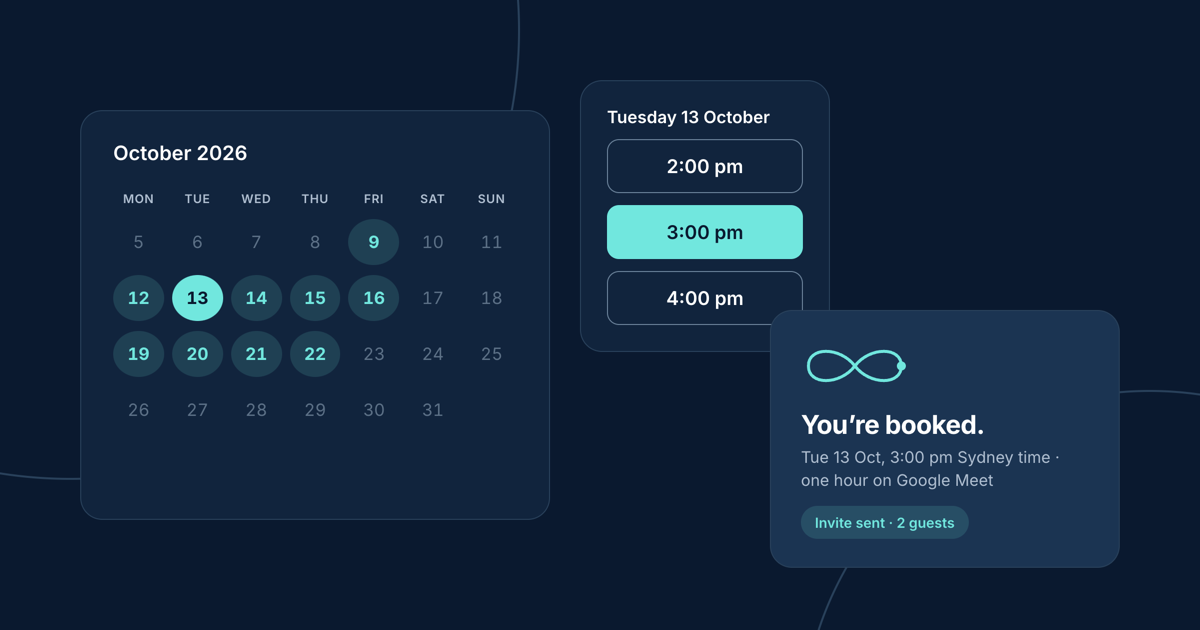
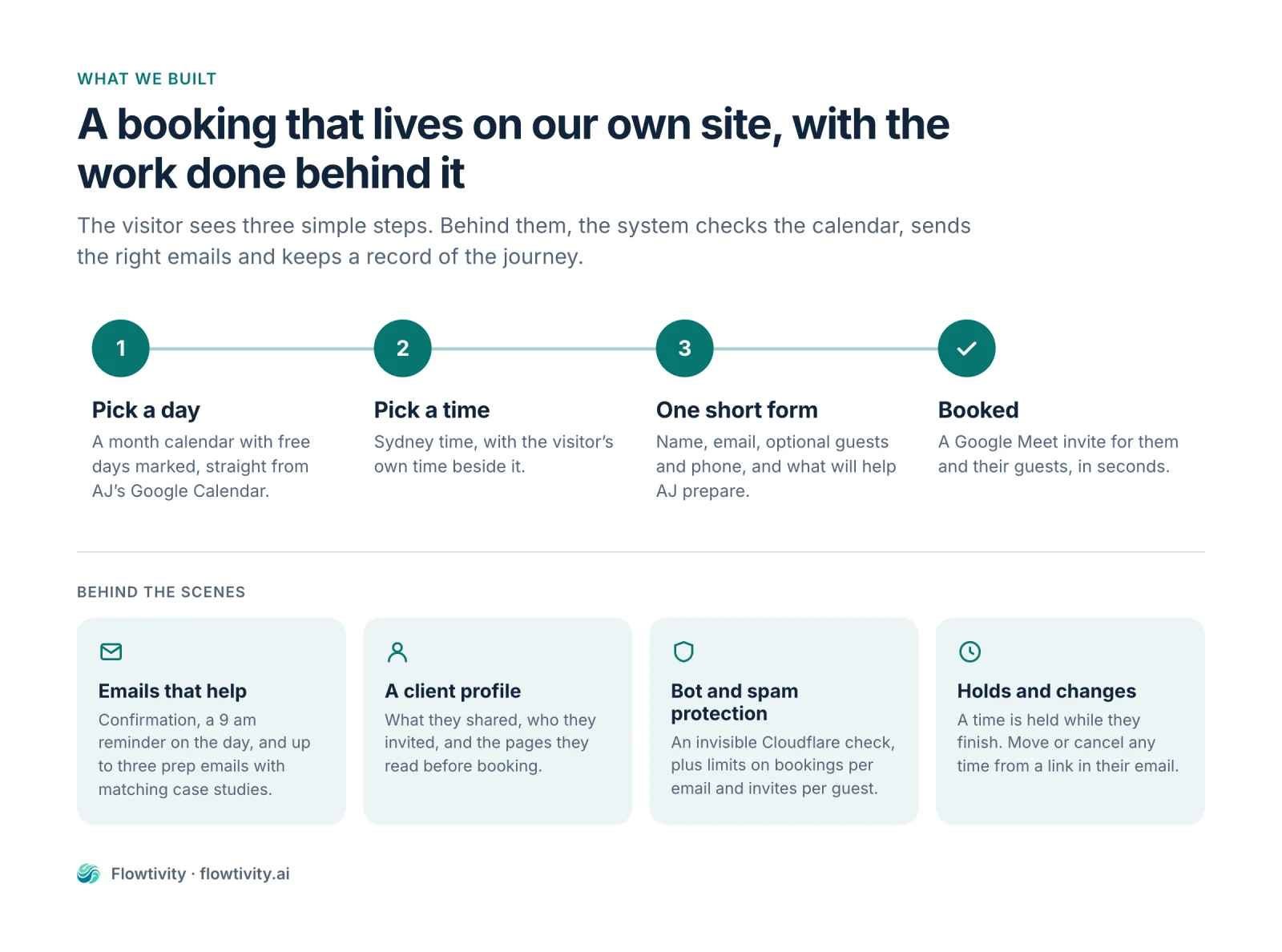
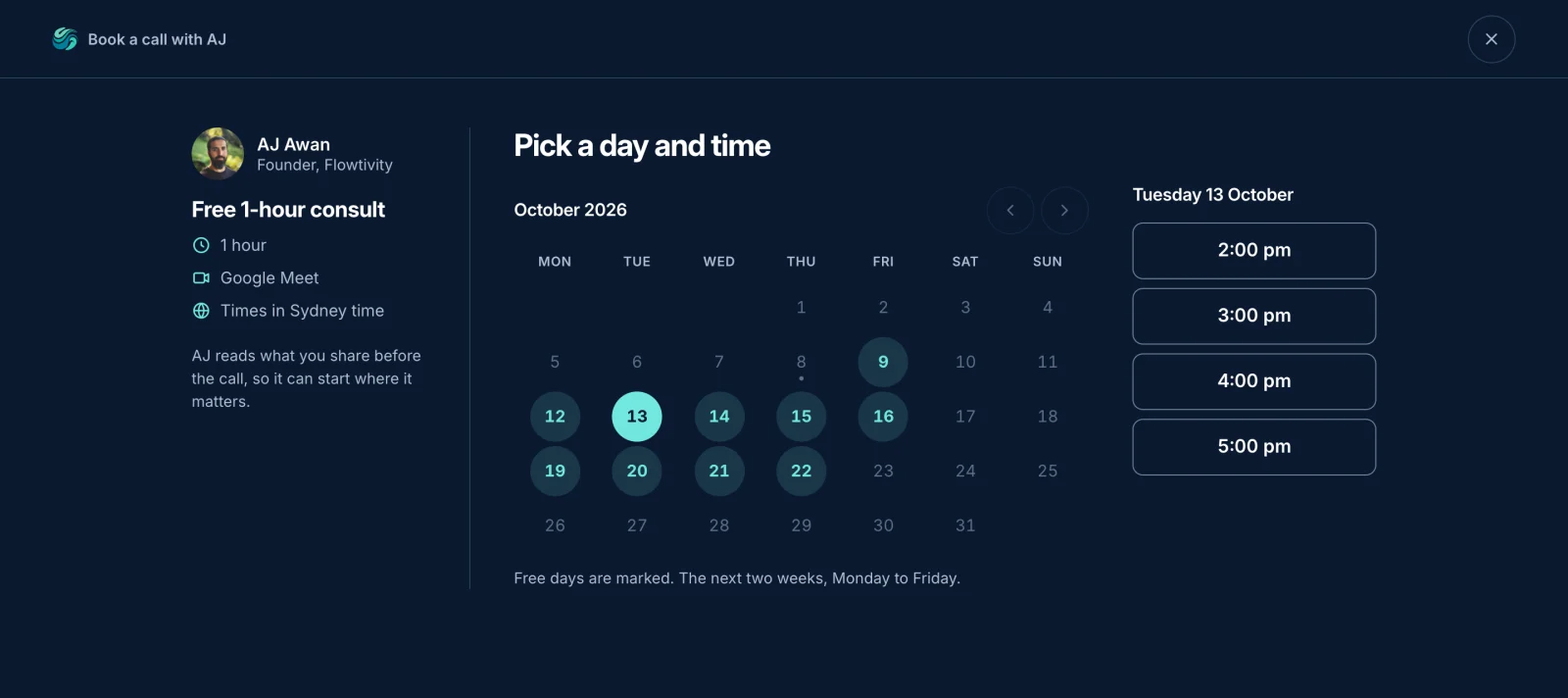
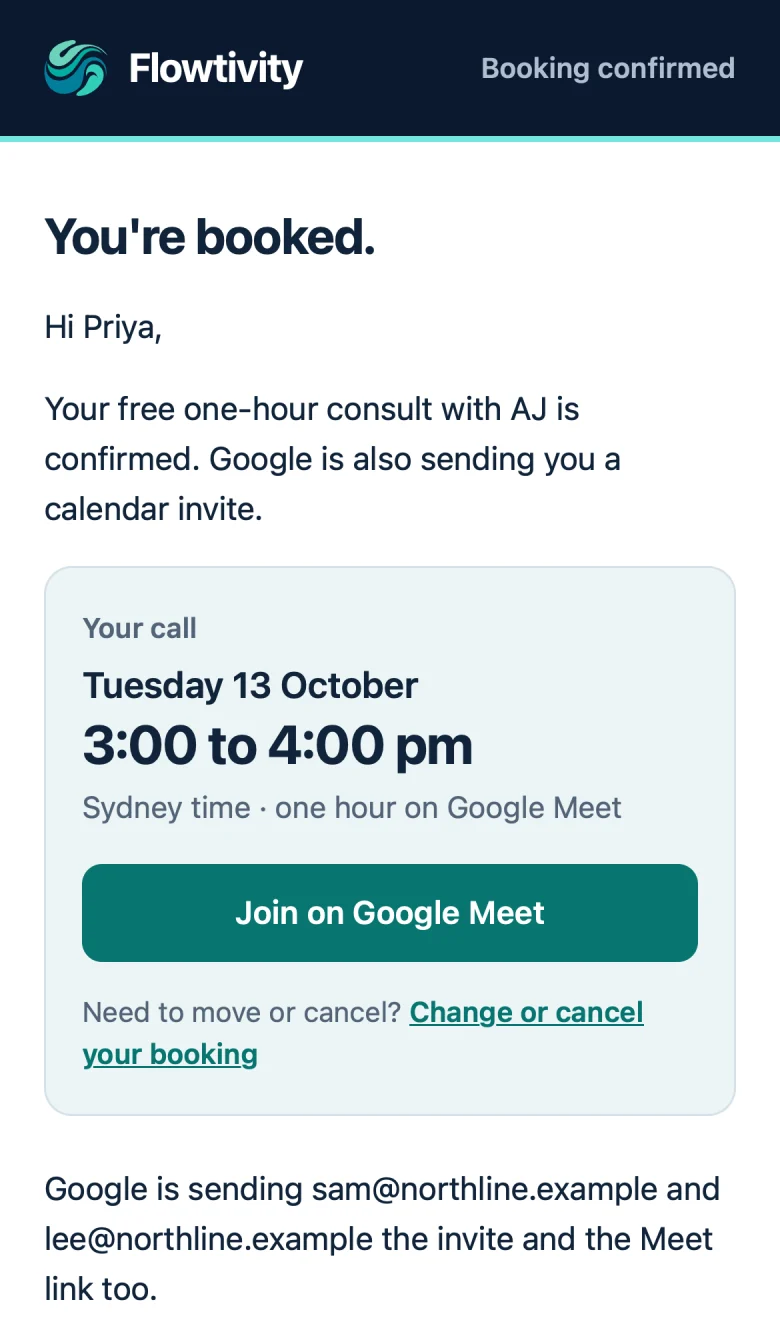
A booking system that lives inside our website. A visitor picks a day and time, fills in one short form, and gets a Google Meet invite straight away. Behind it sit the emails, an admin view and the safety checks that a tool like Calendly normally hides from you.
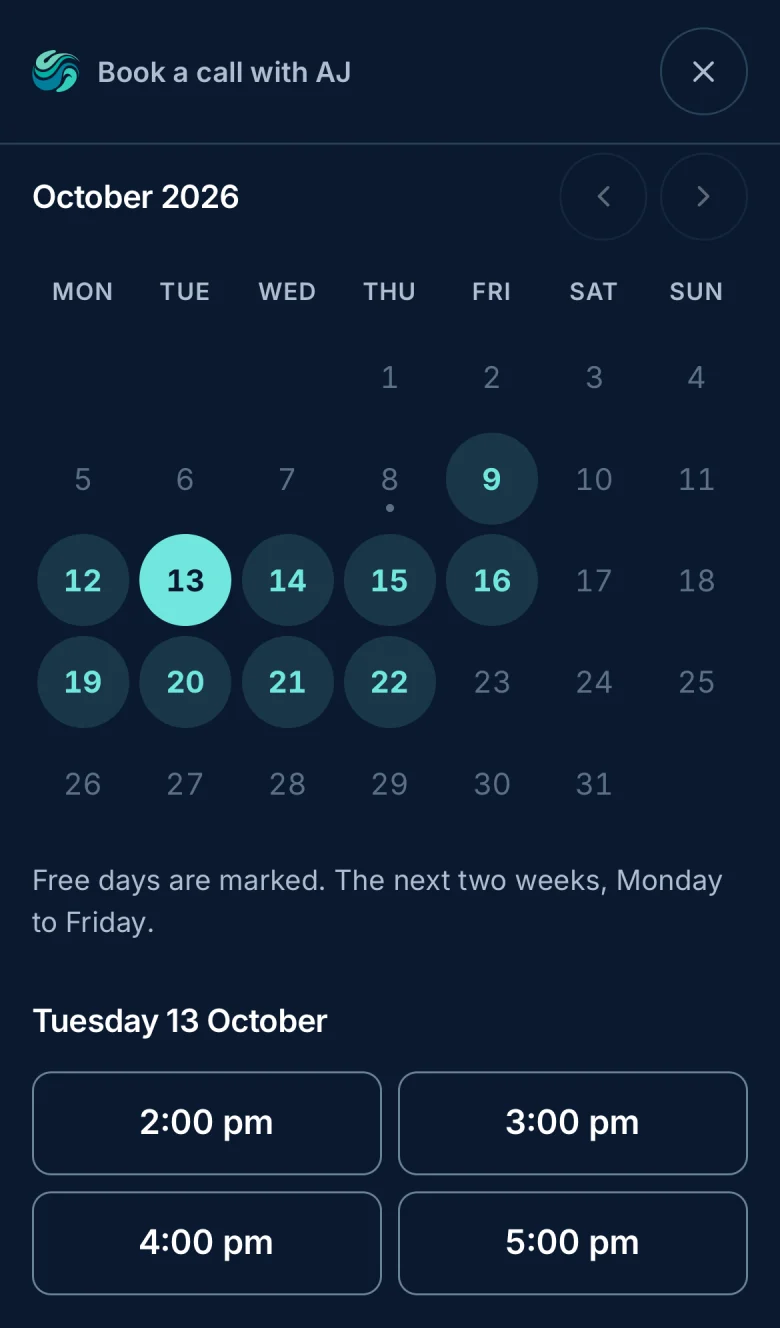
- A calendar on our own page. Free times come straight from AJ's Google Calendar, shown in Sydney time with the visitor's own time beside it.
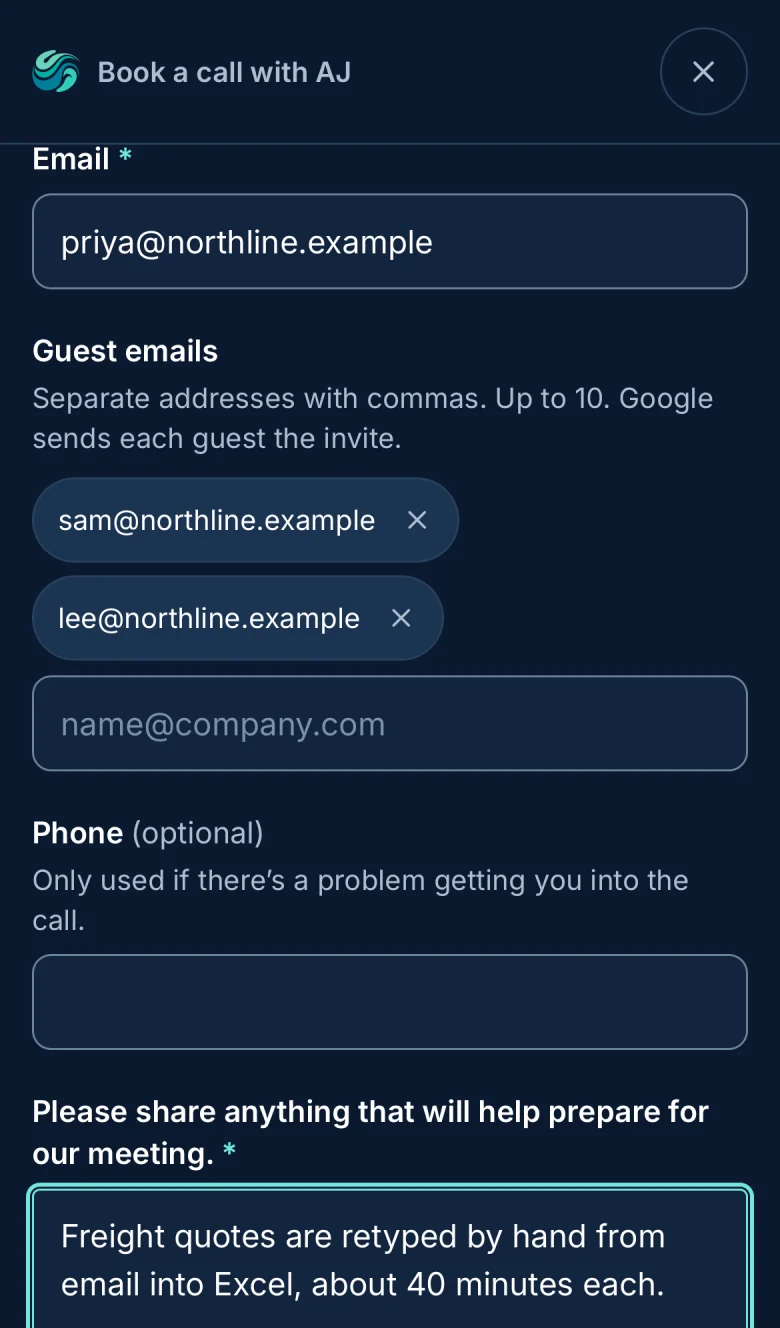
- One short form. Name, email, optional guests and phone, and one required question: "Please share anything that will help prepare for our meeting."
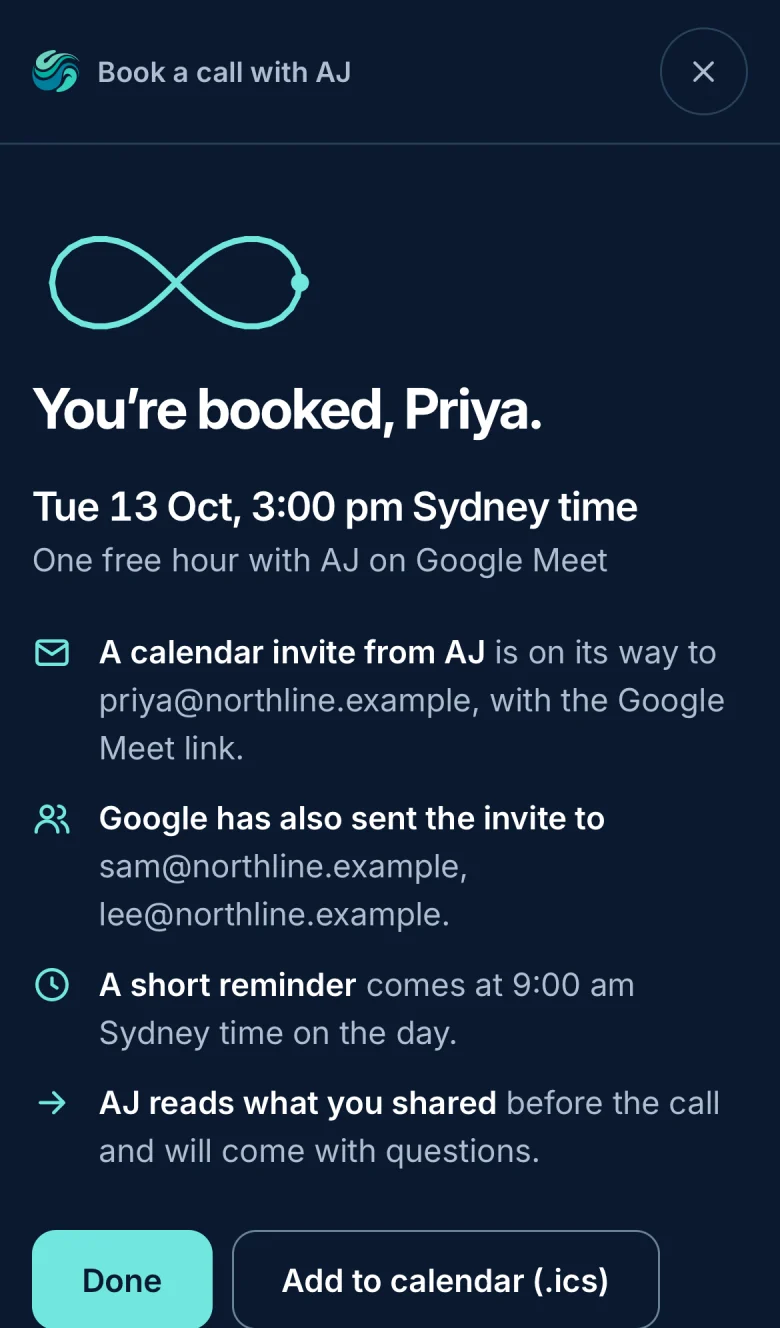
- Emails that do real work. A confirmation with a calendar file, a reminder at 9 am on the day, an alert to us, and up to three short preparation emails with case studies close to what the visitor described.
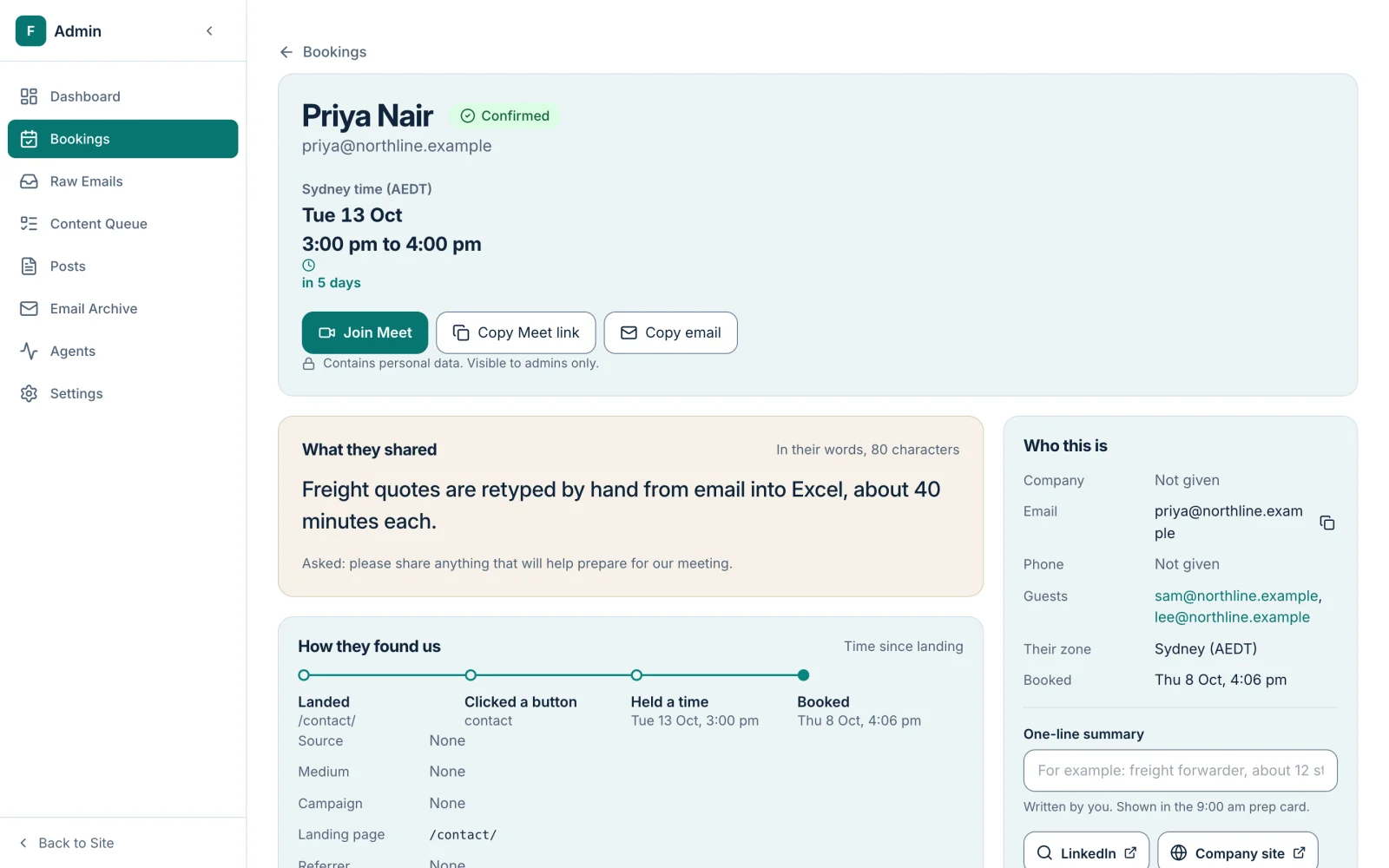
- An admin view of each client. Who booked, what they shared, and the path they took through our site before booking.
- Protection against bots and abuse. An invisible Cloudflare check, limits on how many calls one email can book, and limits on how often one guest can be invited.
Why not just keep using Calendly?
Calendly is a good product, and for many businesses it is the right answer. We built our own for four reasons.
- Context before the call. We wanted to know what someone read on our site before they booked, so AJ walks in prepared rather than starting from zero.
- Preparation, not just a reminder. We wanted the days before the call to be useful to the client, with examples of our work that match their situation.
- One experience. The booking should look and feel like the rest of our site, not like a hand-off to someone else's.
- Our data, our systems. Bookings and answers stay in our own database.
Here is the honest trade-off. Building means owning it. When Google changes something, or an email doesn't arrive, that is now our problem to fix.
How did Claude help build it?
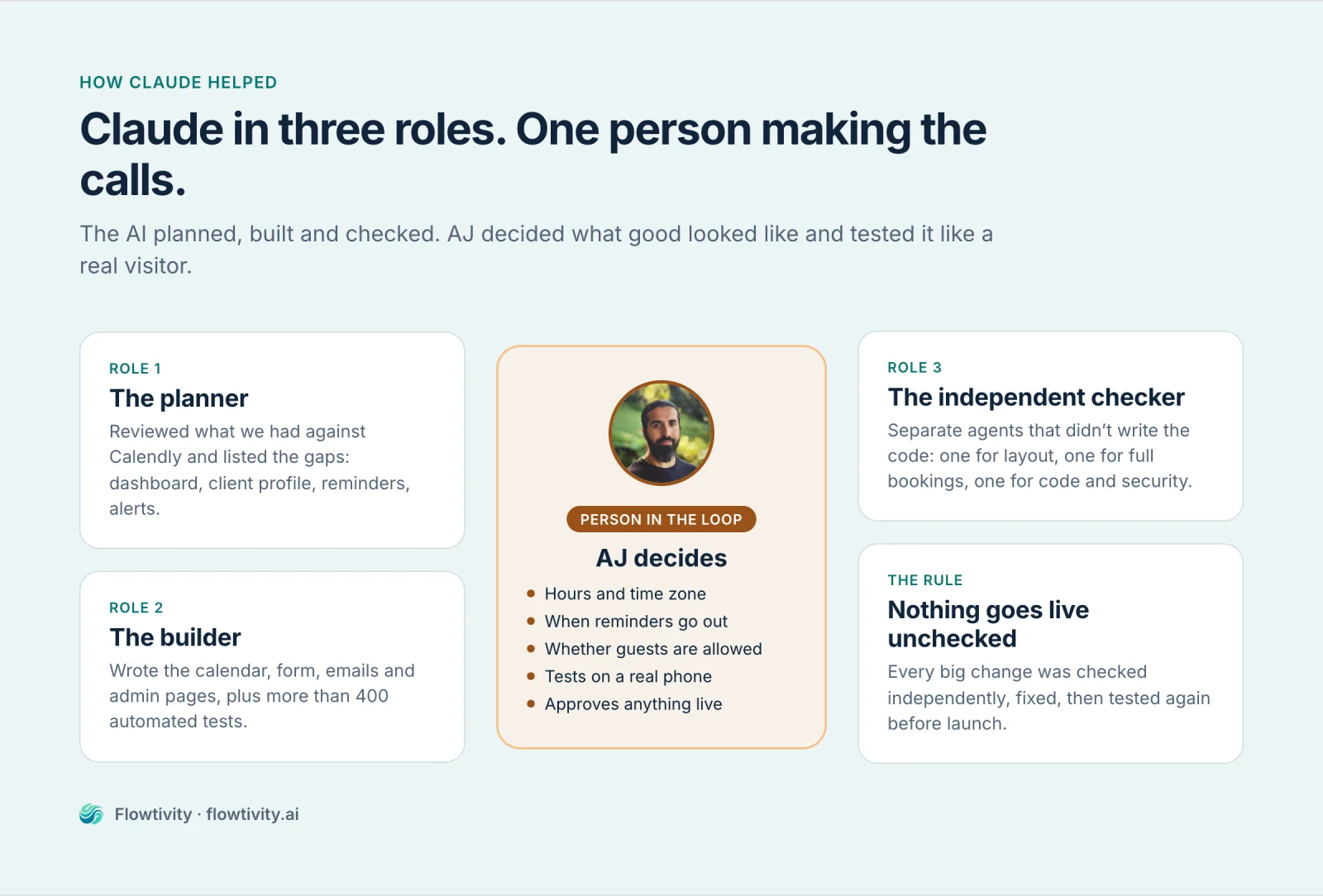
Claude did most of the hands-on work: reading the existing code, writing the new parts, testing them in emulated phones and browsers, and reviewing its own work. AJ made the decisions and tested the result like a real visitor would.
We used Claude in three different roles:
- The builder. Claude wrote the calendar, the form, the emails, the admin pages and more than 400 automated tests.
- The planner. Before building, Claude reviewed what we had and listed the gaps compared with Calendly: no booking dashboard, no client profile, no reminder emails, no alert to us. That list became the plan.
- The independent checker. For each big change, separate Claude agents checked the work without having written it. One tested the layout on phones and desktops, one ran full bookings from start to finish, and one reviewed the code for mistakes and security problems.
The decisions stayed with a person. Which hours to offer. Sydney time. A reminder at 9 am on the day of the call. Whether guests are allowed. Every one of those was AJ's call, asked as a plain question with options.
What did the build look like, step by step?
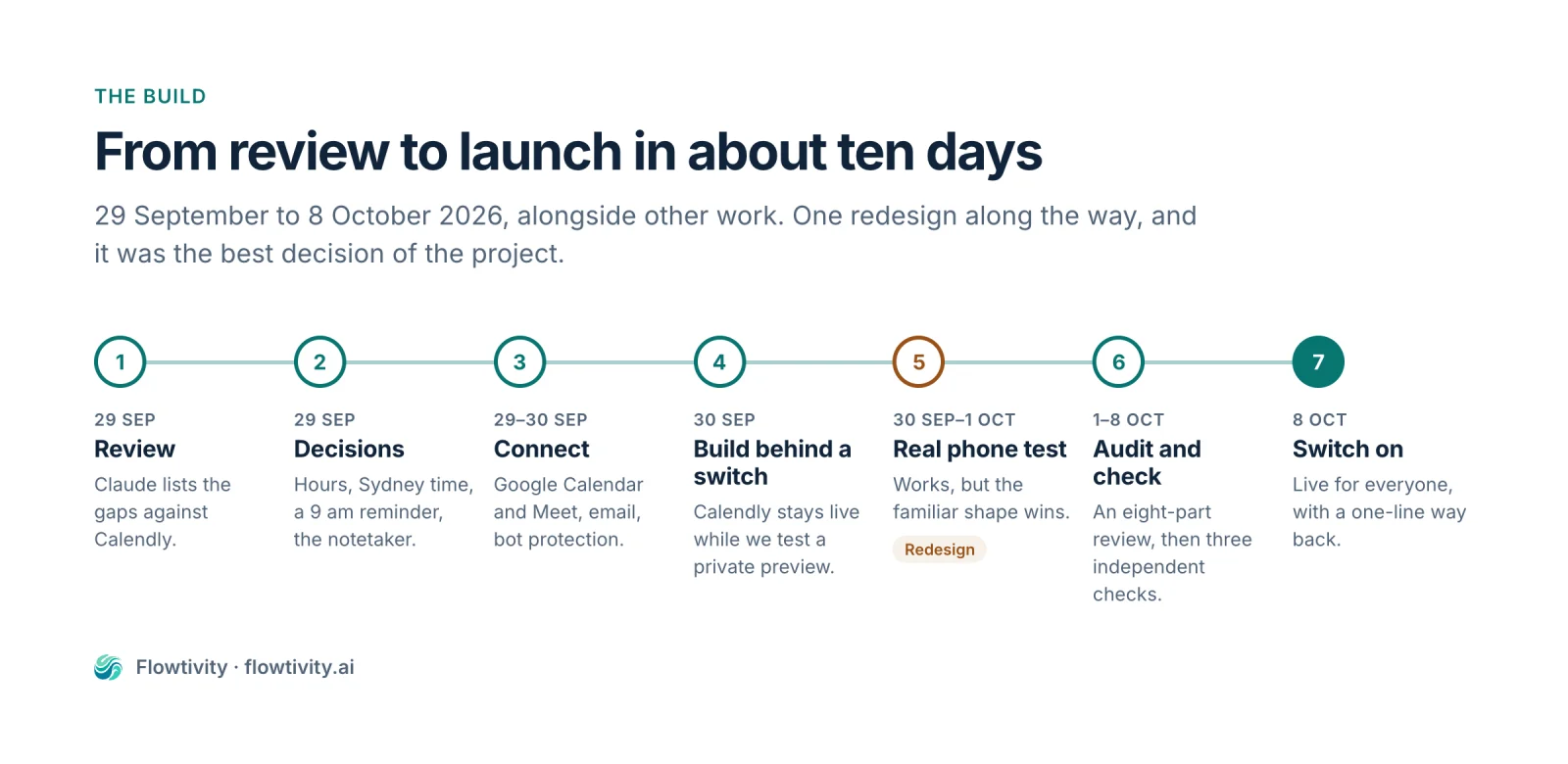
- Review. Claude audited what already existed and listed what was missing compared with Calendly.
- Decisions. AJ answered short questions: available hours, time zone, reminder timing, which notetaker joins the call.
- Connect the real systems. Google Calendar for free times and Meet links, an email service for the messages, and Cloudflare for bot protection. Passwords and keys were entered by AJ, never by the AI.
- Build behind a switch. The new booking was hidden from the public, so the old Calendly button kept working while we tested a private preview.
- Test on a real phone. AJ booked a call on his iPhone. It worked, and it showed us what needed to change (more on that below).
- Audit and fix. Claude ran an eight-part review of the experience, covering layout, wording, accessibility and errors, and fixed what it found.
- Check independently, then launch. Three separate checks, fixes, a final test on the phone, then the switch was turned on for everyone.
What did testing on a real phone change?
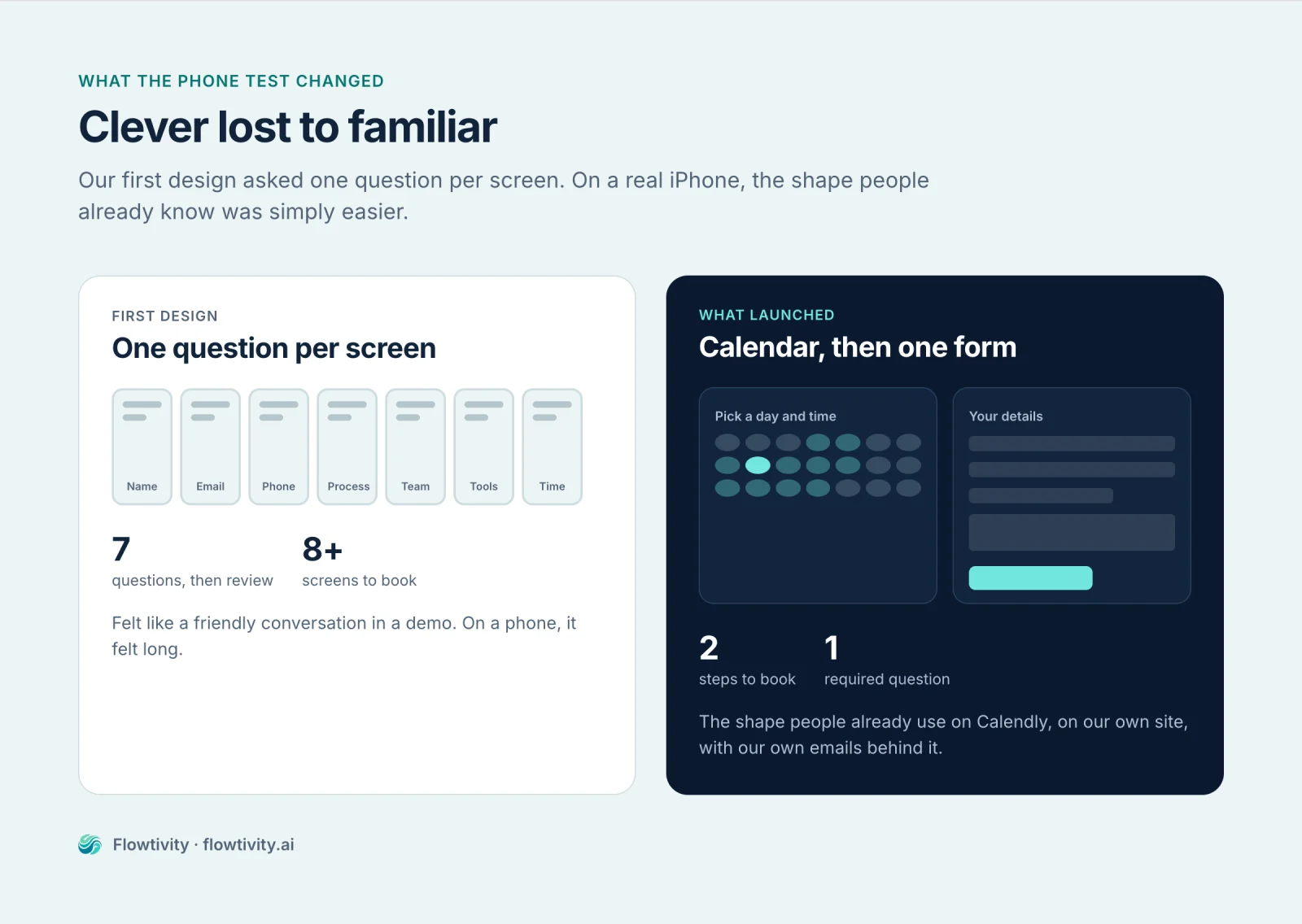
Everything important. Our first version asked one question per screen, like a friendly conversation: your name, then your email, then what you wanted to talk about. It looked lovely in a demo.
On AJ's iPhone, two things happened. The bot check box sat on top of the text at the bottom of the form. And when AJ compared it with Calendly, he simply preferred the familiar shape: open the calendar, pick a time, fill in one form, done.
So we rebuilt it to work like Calendly. That was the right call. People don't want to learn a new way to book a meeting. They want the one they already know, done well.
Where in your own business have you built something clever when familiar would have served people better?
What did the independent checks catch?
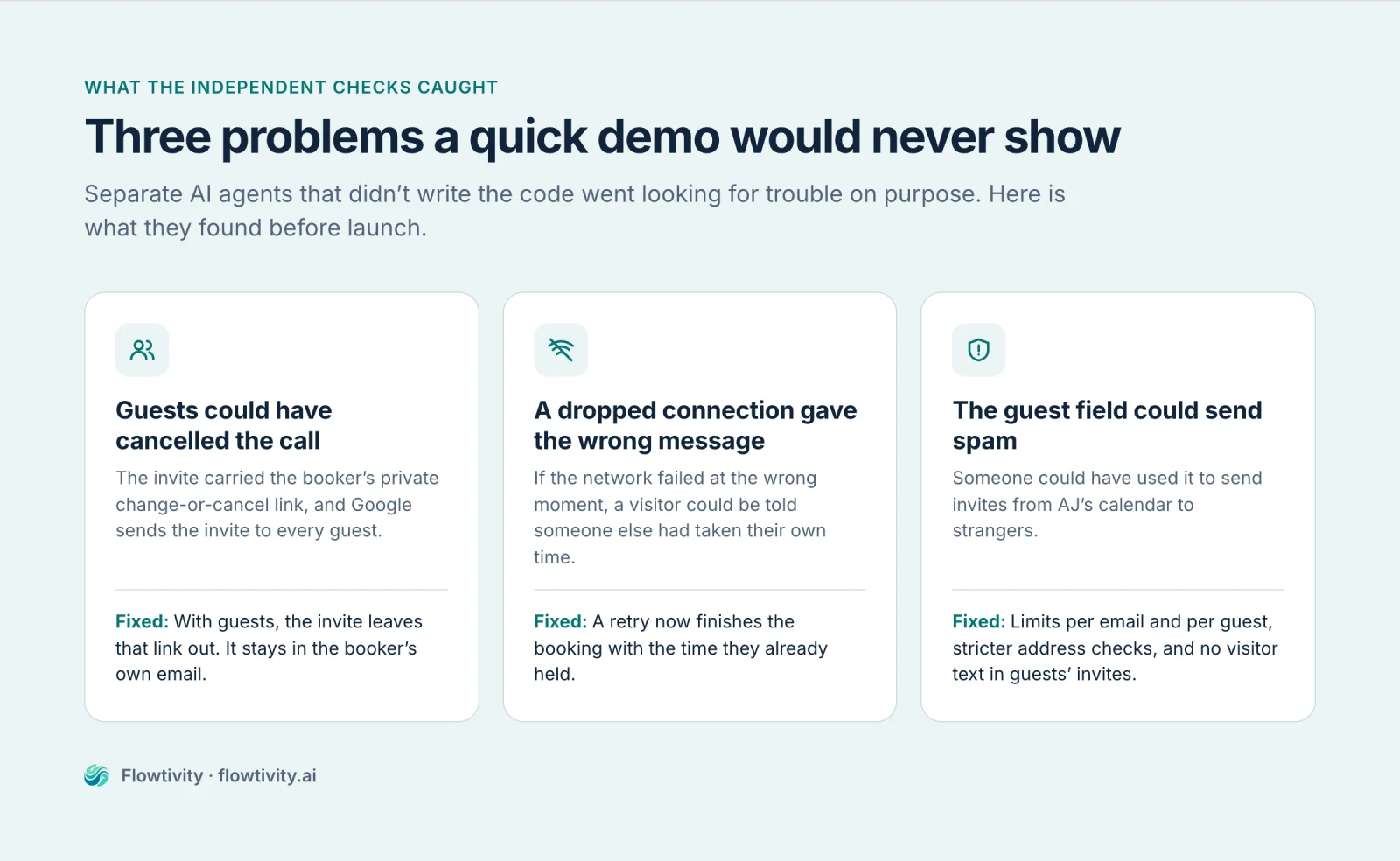
The independent checks found real problems that the builder had missed. That is the point of having a second pair of eyes that didn't write the code.
- Guests could have cancelled the call. The calendar invite included the booker's private change-or-cancel link, and Google sends the invite to every guest. Now, when there are guests, the invite leaves that link out.
- A bad connection gave the wrong message. If the network dropped at the wrong moment, a visitor could be told their own time had been taken by someone else. Now a retry simply finishes the booking.
- The guest field could be misused. Someone could have used it to send invites from our calendar to strangers. Now there are limits on bookings per email and invites per guest, and stricter checks on addresses.
- Small things that matter to some people. The cursor jumping out of a field while someone was typing, and labels that a screen reader would not read out.
None of these showed up in a quick demo. They showed up because someone went looking for them on purpose.
Old way vs new way
| Old way: a scheduling link | New way: booking built into the site | |
|---|---|---|
| Where it happens | On someone else's page | On our own page |
| What we know before the call | Name, email, a few answers | What they shared, plus what they read and clicked on our site |
| Before the call | A reminder | A reminder and up to three preparation emails with matching case studies |
| Changes | Wait for the vendor's roadmap | Describe the change to Claude, test it, ship it |
| Who maintains it | The vendor | Us (the real cost of owning it) |
What would we do differently?
- Start with the familiar. Copy the pattern people already know, then improve the parts that matter to you. We would have saved a redesign.
- Test on a real phone on day one. An emulated phone found most problems. A real one found the ones that mattered most to the person using it.
- Plan for the independent check from the start. Asking a separate agent to try to break the work was the most valuable step in the whole build.
Could you build something like this for your business?
Probably, if you pick the right first thing. You don't need to start with booking. Start with one small process where you keep losing context, and ask: "If we built this ourselves, what would we finally be able to see?"
A small experiment to try this week:
- One process: the step between "someone is interested" and "we are talking to them".
- One question: what do you wish you knew about people before the first conversation?
- One measure: how prepared you feel walking into each first call.
If you would like a hand working out where this fits in your business, book a free one-hour consult. Yes, you will be using the booking system this post describes.
FAQ
Can you build your own booking system with Claude?
Yes. We built ours with Claude in Claude Code in about ten days, alongside other work. It reads free times from Google Calendar, creates a Google Meet invite, sends confirmation, reminder and preparation emails, and gives us an admin view of each booking. A person still made every product decision and tested it on a real phone before launch.
Why build a booking system instead of using Calendly?
Calendly works well. We built our own because we wanted the booking to live inside our website, to see what each client read and clicked before booking, to send our own preparation emails with relevant case studies, and to keep the data in our own systems.
How long did it take to build a booking system with AI?
About ten days from the first review on 29 September 2026 to switching it on for everyone on 8 October 2026. That included a full redesign after testing on a phone, and three independent AI checks before launch.
What did AI testing catch that we missed?
Independent AI checkers found that guests on a calendar invite could have seen the booker's change-or-cancel link, that a dropped connection could tell someone their own time was taken, and that the guest field could have been used to send invites to strangers. All three were fixed before launch.
Do you need to be a developer to build software with Claude?
You need to be able to describe what good looks like, make decisions, and test the result as a real user would. Claude writes, tests and checks the code. Someone still has to own the decisions, check the result, and approve anything that touches live systems or customers.
The best part of building it ourselves isn't the booking. It's walking into every first call already knowing what matters to the person on the other side.
What's actually useful in AI, every Friday
We follow everything happening in AI and send what's worth your time: new models, AI agents, and how to put them to work. One email a week, unsubscribe anytime.