On this page
- What Is the dsh Harness?
- What I Actually Built: A Fireflies.ai Clone as a Live Plugin
- The Real Numbers From a 46 Minute Session
- Is DeepSeek V4 Flash Really as Good as Claude Opus 4.6 for Coding?
- The Moment dsh Earned My Trust: the Approval Gate
- How to Self-Host the dsh Harness Securely
- Should You Try the dsh Harness?
Last Updated: August 21, 2026
Spoiler: the fastest growing agent harness on GitHub just wrote its own meeting-notes plugin for me, on my hardware, in one prompt. This is a field report from that session, with every number I could see on the status bar.
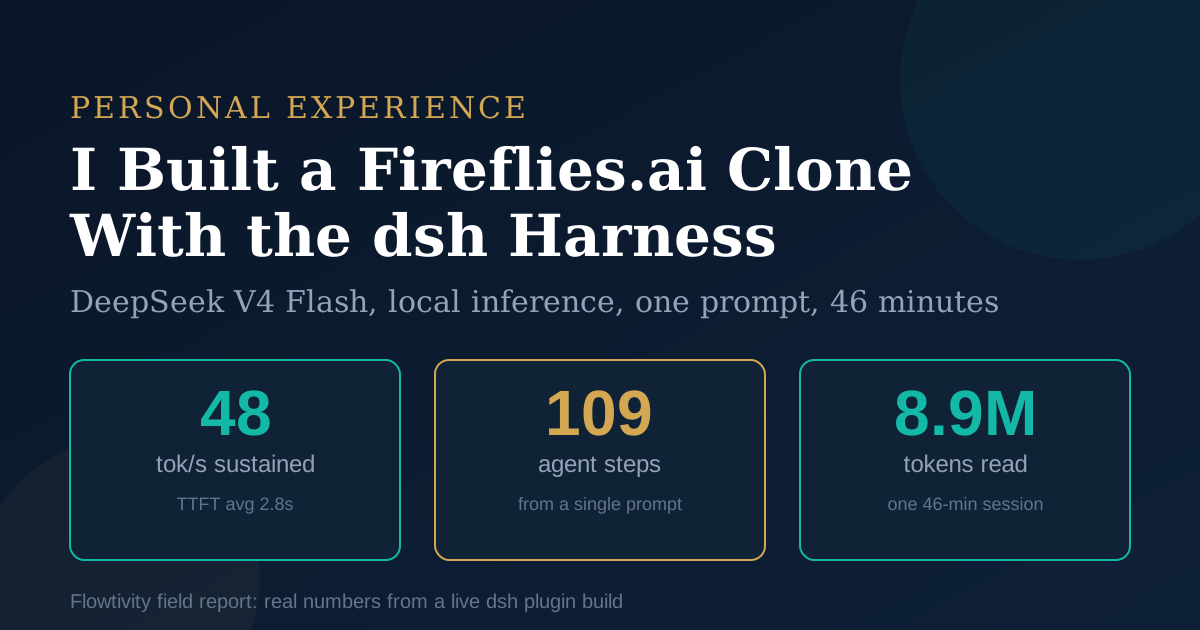
On August 21, 2026 I sat down with dsh, the DeepSeek Harness, running DeepSeek V4 Flash 0731 as the model, and asked it to build a Fireflies.ai clone: a "Bee" plugin for my agents that would live inside the harness itself. Forty six minutes later the session log read 109 steps, 8.9 million input tokens, 48 tokens per second sustained, 2.8 seconds average time to first token, and a to-do list showing 5 tasks completed, 1 in progress and 2 pending. The plugin was defined, coded, documented and waiting on exactly one thing: my approval in the UI. No restarts. No babysitting. The stack is MIT licensed, free to run, and if you use the API instead of local hardware the input pricing is $0.14 per 1M tokens according to DeepSeek's published rates.
I recorded the whole thing as a 2 minute video, which is embedded below with the raw transcript. Here is the full breakdown.
What Is the dsh Harness?
dsh is DeepSeek's open-source agent harness where every component is a plugin: the model adapter, tools, sessions, sandboxes, storage, the agent loop and even the UI. Released August 13, 2026 under the MIT license, it runs locally with a single npm command and serves a browser UI on port 3080. According to VentureBeat, the GitHub repo hit roughly 27,500 stars on launch day alone, and public GitHub counts passed 95,000 within two days and more than 150,000 by August 18. That adoption curve is one of the fastest ever recorded for a developer tool.
We wrote a full technical explainer in DeepSeek Harness: why 95,000 stars in two days matters for AI agents. The short version: where Claude Code and Codex give you a polished, closed loop, dsh gives you a composable one. Models, tools, sandboxes and sub-agents snap together through the Cordis plugin system, and other agents like Claude Code or Codex can even run as sub-agents inside a dsh workflow.
What I Actually Built: A Fireflies.ai Clone as a Live Plugin
The task was one prompt: build a Fireflies.ai clone for my agents, as a plugin, inside the running harness. This is the part that would have been a weekend project a year ago. The agent used cordis_define to declare a dynamic Cordis plugin at runtime (pluginId bee-1), wired its interface into the GUI through ctx.slots.register, then attempted activation with cordis_run. Dynamic plugins run in the current process, which distinguishes them from the native client plugins that install through the web profile with static loader entries. I knew that because the agent went and read my earlier Burleigh CRM plugin's ACTIVATION.md and README to match the house convention before writing its own. It literally checked how prior plugins documented themselves, then followed the pattern.
That behaviour, scanning existing work and copying conventions, is what makes the everything-is-a-plugin bet real. The harness is not just scriptable. It is self-extending, and the extension surface is documented well enough that the agent can navigate it unaided.
The Real Numbers From a 46 Minute Session
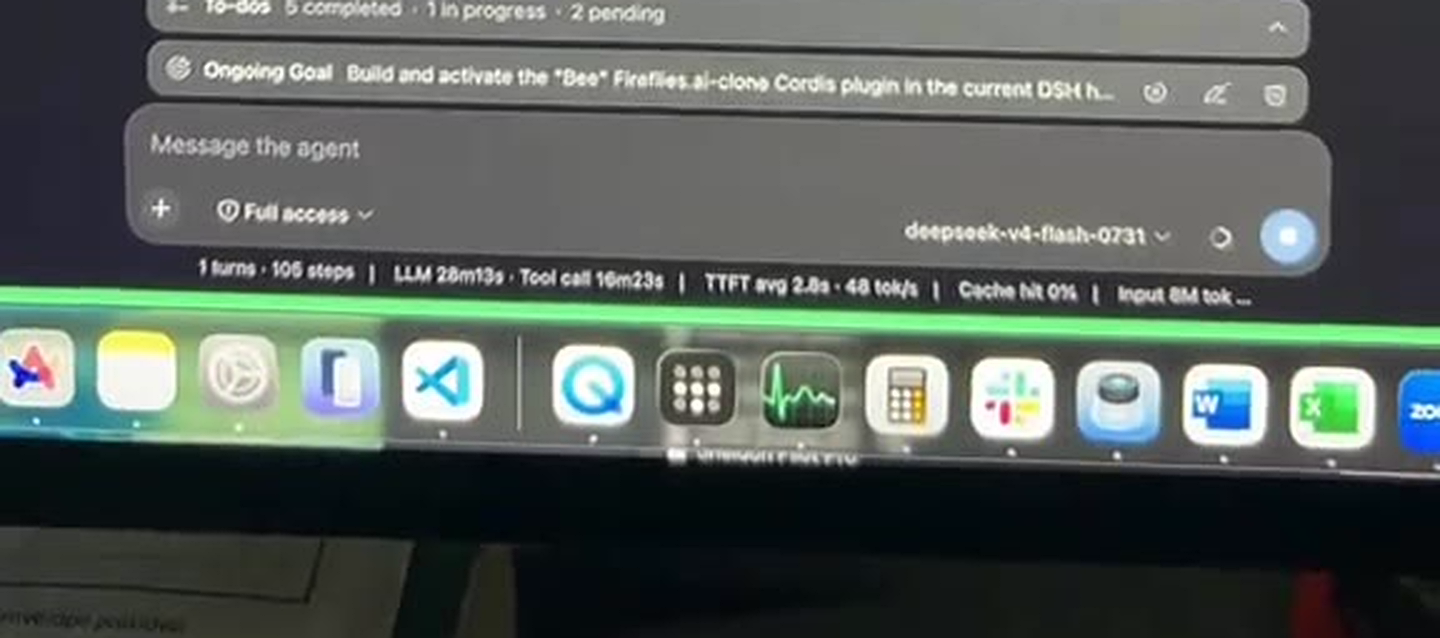
One turn produced 109 steps: 5 to-dos completed, a plugin defined and coded, docs written, and roughly 8.9M input tokens consumed at 48 tok/s with 2.8s average time to first token. Here is the status bar data exactly as captured during the session, alongside the published context for each number.
| Metric (measured in session) | Value | Context |
|---|---|---|
| Model | deepseek-v4-flash-0731 | 13B active params of a 284B MoE, per MarkTechPost's July 31 analysis |
| Throughput | 48 tok/s sustained | Consistent with our dual DGX Spark result of 41 tok/s at 1M context |
| Time to first token | 2.8s average | Local inference, no network round trip |
| Agent steps | 109 in 1 turn | Tool calls, file writes, inspections |
| LLM time | ~20 to 26 minutes | Plus 16m 24s of tool execution |
| Input tokens | 8.9M, cache hit 0% | Long-horizon session with many file re-reads |
| Wall clock | ~46 minutes | Timer shown as "Deep diving" in the UI |
| To-dos at capture | 5 done, 1 in progress, 2 pending | Self-managed task list |
Two honest caveats. First, cache hit was 0%, so those 8.9M input tokens were genuinely re-processed; on the API that is about $1.25 at $0.14 per 1M, and on local hardware it is electricity. Second, the session did not finish the plugin end to end because it correctly stopped at an approval gate, which is the next section and honestly my favourite part.
The whole run is on video (2 minutes, unscripted):
Watch the session walkthrough on TikTok. The transcript, lightly cleaned: "Running stable at close to fifty tokens per second... the cool thing with DeepSeek harness is that now everything is a plugin... I've built a CRM plugin already, and now I'm building some more plugins... I think it's the AI cheat code."
Is DeepSeek V4 Flash Really as Good as Claude Opus 4.6 for Coding?
For agentic coding, my experience says V4 Flash is close enough to Opus that the price gap stops being rational to ignore. "DeepSeek V4 Flash is as good as Opus 4.6 in terms of building things, in terms of coding things," says AJ Awan, founder of Flowtivity, in the session walkthrough. That is a subjective call, but it is now a subjective call backed by 109 uninterrupted steps of real plugin development.
The published numbers point the same direction. According to MarkTechPost's July 31 2026 analysis, the 0731 checkpoint lifted Terminal Bench 2.1 from 72.1 to 82.7 and DeepSWE from 12.8 to 54.4, both ahead of the larger DeepSeek V4 Pro. And in our earlier dual DGX Spark testing we measured 41 tok/s at a one million token context with 100% tool-call accuracy across a 14 hour workload.
| Dimension | DeepSeek V4 Flash 0731 | Typical hosted frontier (Opus-class) |
|---|---|---|
| Active parameters per token | 13B of 284B total (MoE) | Frontier scale, not disclosed |
| Input API price | $0.14 per 1M tokens | $3 to $15 per 1M tokens |
| Runs locally | Yes (dual DGX Spark: 41 tok/s at 1M ctx) | No |
| Licence | MIT (model weights and harness) | Proprietary |
| My coding verdict | Completed 109-step plugin build, zero restarts | Slightly better polish, at 20 to 100x the token cost |
For framing against other harnesses, we ran the same lens over TrueForge and Claude Managed Agents in TrueForge vs dsh vs Claude Managed Agents. Where TrueForge bets on production economics and CMA bets on turnkey ops, dsh bets on composability: everything replaceable, everything a plugin, including the plugins the agent writes for itself.
The Moment dsh Earned My Trust: the Approval Gate
When the plugin activation returned awaiting-approval, the agent told the truth, stopped, and did useful work while it waited. This is the anecdote I keep telling people, because it is the difference between a demo and a tool. The run needed a user grant in the GUI. Rather than retrying in a loop or, worse, claiming the plugin was live, the agent followed its instructions: explain that the user must allow it in the UI, do not retry, do not claim it is running.
Then it did something no instruction required. It used the waiting window to write the README, create an ACTIVATION.md matching my prior plugins' conventions, add a DSH memory entry so future sessions know Bee exists, and snapshot clean state into data/state.json. When I came back, the honest status report was already waiting: what was done, what was pending, and the single action I needed to take.
That is the behaviour you want from a junior developer. It is also the exact failure mode that burns people with autonomous agents, and here the harness design, approvals as a first-class gate with explicit agent conduct rules, handled it correctly. If you want the deep version of this argument, see our piece on why scaffolding matters more than the model.
How to Self-Host the dsh Harness Securely
You can run the whole stack on a VPS you control and reach it from your phone through Tailscale, with no port ever exposed to the public internet. This is the part consultants care about: the data never leaves infrastructure you own, and authentication is handled by your private network rather than a vendor's tenant. The five step version:
- Provision a VPS with Node.js 20+. The harness is MIT licensed and installs from npm.
- Launch it with
npx @deepseek-ai/dsh web. The UI comes up on port 3080 with the model selector, to-dos, ongoing goals and the session metrics bar. - Point the model adapter plugin at deepseek-v4-flash-0731, or at any OpenAI-compatible endpoint, including your own DGX Spark boxes.
- Install Tailscale on the VPS and bind the UI to the tailnet interface.
- Install Tailscale on your phone and you can monitor sessions, approve plugin runs and reply to the agent from anywhere, authenticated by your network.
Day to day, the slash commands do the housekeeping: /compact to fold old history, /export to pull a session ZIP, /feedback to record notes, /plan for planning mode, /model to swap models mid-conversation. Permission modes run from read-only to Full access, and the ongoing goal bar keeps long builds anchored.
Should You Try the dsh Harness?
If you build with AI agents and you have not tried dsh yet, this is the week to do it. The honest scorecard from my session: throughput and latency are solved problems on modest local hardware (48 tok/s, 2.8s TTFT); long-horizon autonomy works (109 steps, self-managed to-dos); plugin self-extension is real, not a keynote demo; and the approval conduct was correct under pressure. The trade-offs are equally real: cache hit 0% means long sessions re-read aggressively, the developer preview has rough edges, and you are the ops team now.
My recommendation mirrors what we tell consulting clients: prototype on whatever is cheapest that clears the quality bar, and V4 Flash 0731 clears it for coding agents. We now run our own agent stack on GLM-5.3 for ops (see GLM-5.3 vs DeepSeek V4 Pro) and on V4 Flash for local builds, and the two sit comfortably side by side. The model layer is a plugin. Choose per job.
The 2 minute video of the session is here on TikTok. If you want the same treatment for your own workflows, that is literally what Flowtivity does: book a discovery call.
One email a month, no noise
Practical AI notes for Australian businesses. Unsubscribe anytime.